









How Much Does Rocket Money Cost? A 2025 Pricing Guide for Savers
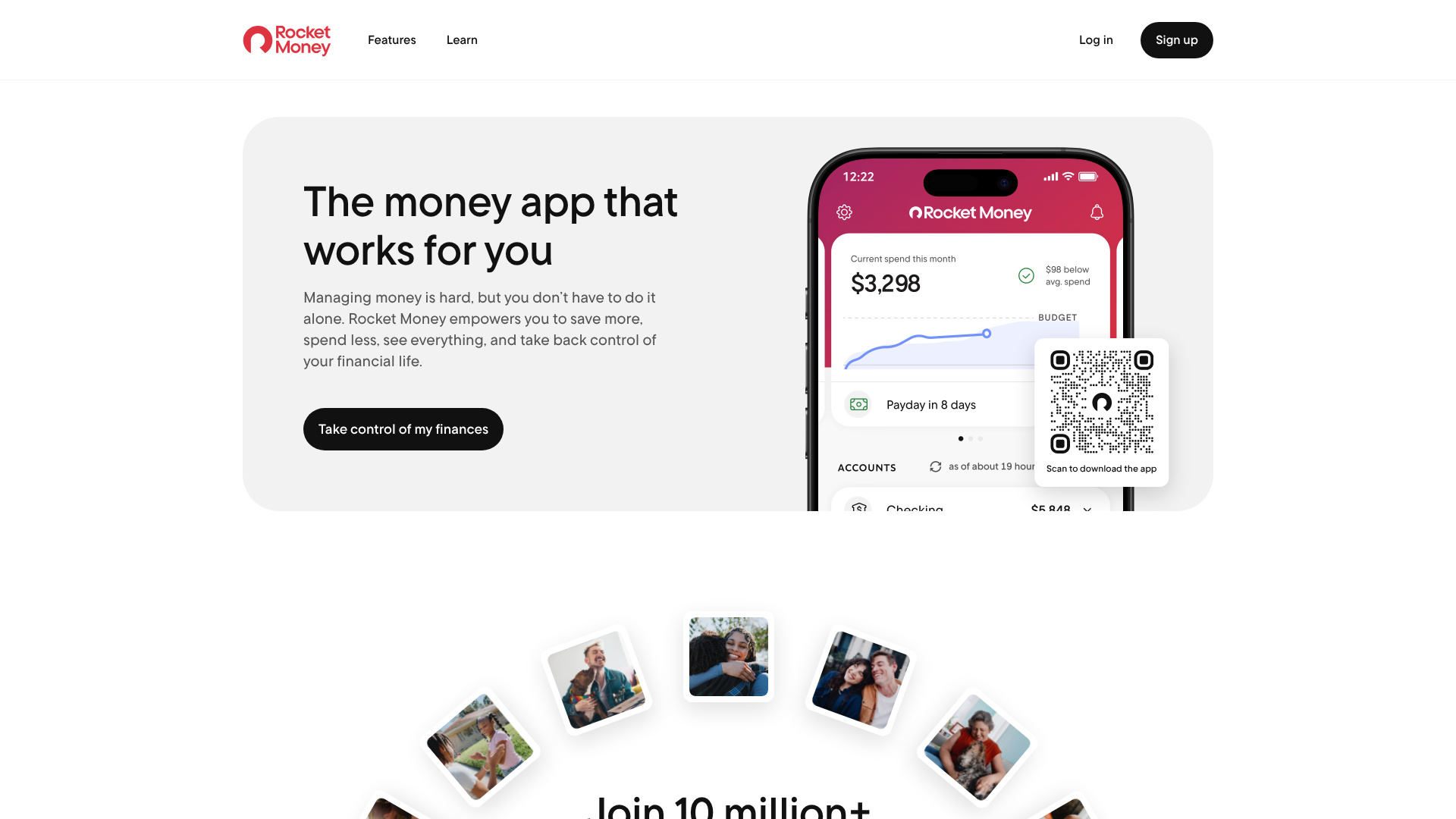
When you're trying to get your finances in order, the last thing you want is another expensive subscription. That's why so many people ask, how much does Rocket Money cost? The answer isn't a single number; it's a flexible pricing structure designed to fit different budgets and needs. The app offers a robust free version, a unique "pay-what-you-think-is-fair" premium model, and a separate, performance-based fee for its bill negotiation service.
Understanding these different tiers is key to deciding if the platform is right for you. Whether you just want to track your spending or need an automated assistant to cancel unwanted subscriptions, there's likely a plan that fits. This guide breaks down every aspect of the cost of Rocket Money, so you can make an informed decision without any surprises.
The Short Answer
- Free Version: Rocket Money offers a completely free plan that includes essential tools like budget creation, spending tracking, and identifying all your recurring subscriptions.
- Premium Subscription: The paid plan uses a sliding scale model where you choose what to pay, typically between $6 and $12 per month. This unlocks advanced features like automated subscription cancellation and net worth tracking.
- Bill Negotiation Fees: This is a separate service, not included in the Premium fee. If Rocket Money successfully negotiates a lower bill for you, they charge a one-time fee of 30% to 60% of your total savings for the first year.
- Free Trial: You can test all the Premium features with a 7-day free trial before deciding to pay for a subscription. Just remember to cancel before the trial ends if you don't want to be charged.
What Is Rocket Money and How Does It Work?
Rocket Money, formerly known as Truebill, is a personal finance application designed to be an all-in-one hub for managing your money. Its primary goal is to provide a clear, real-time picture of your financial health by consolidating your accounts, tracking your spending, and identifying opportunities to save. The app aims to simplify complex financial tasks and empower users to take control of their budgets.
The platform works by securely connecting to your financial institutions, including bank accounts, credit cards, and investment accounts. It uses a trusted third-party service called Plaid to establish this link, which provides read-only access to your transaction data. This means Rocket Money can analyze your financial activity without ever having access to your login credentials or the ability to move money without your permission.
Once connected, the app's algorithm gets to work. It automatically categorizes your transactions, tracks your income and expenses, and flags all recurring payments—from your Netflix subscription to that gym membership you forgot about. This automated overview helps you see exactly where your money is going each month, forming the foundation for all its other money-saving features.
A Deep Dive into Rocket Money Pricing Plans

The rocket money pricing structure is one of its most discussed features because of its flexibility. Unlike many apps that have rigid, non-negotiable tiers, Rocket Money provides options that cater to different levels of commitment and financial goals. Let's break down each component of its cost structure.
The Free Version: What You Get for $0
For users who are just starting their budgeting journey or simply want a tool to monitor their finances, the free version of Rocket Money is surprisingly powerful. It provides all the essential features needed to gain insight into your spending habits without costing a dime. You can link an unlimited number of financial accounts to get a complete view of your finances in one place.
With the free plan, you get access to automated budget creation, spending tracking, and subscription identification. The app will show you a list of all your recurring charges, which is often an eye-opening experience for new users. It also includes free credit score monitoring, giving you a convenient way to keep tabs on your credit health.
The main limitation of the free version is that while it identifies your subscriptions, it doesn't help you cancel them. The automated cancellation service is a premium feature. However, simply having a comprehensive list of all your recurring bills is a huge first step toward manually canceling the ones you no longer need.
The Premium Subscription: Pay What You Think Is Fair
This is where Rocket Money stands out. The Premium subscription operates on a unique "pay-what-you-think-is-fair" model. When you decide to upgrade, the app presents a sliding scale, suggesting a monthly fee between $6 and $12. You have the freedom to choose the amount within that range that you feel is fair for the value you receive.
This subscription can be paid either monthly or annually. Opting for an annual payment often provides a discount over the course of the year. This annual billing is often the reason users see a larger-than-expected charge (e.g., $72 if they chose the $6/month option billed annually). It's important to check whether you're selecting a monthly or yearly plan during checkout.
Upgrading to Premium unlocks the app's most powerful automation tools. This includes the subscription cancellation concierge, automated savings features, unlimited budget categories, net worth tracking, and the ability to share your account with a partner. For many, the convenience of these features easily justifies the monthly cost.
The Bill Negotiation Service: A Performance-Based Fee
It's crucial to understand that the bill negotiation service is entirely separate from the Premium subscription. You do not need to be a Premium member to use it, and being a Premium member does not make this service free. This service is designed to lower your monthly bills for services like cable, internet, and cell phone plans.
Rocket Money's team of negotiators will contact your service providers on your behalf to try and secure a better rate, apply promotional discounts, or find hidden savings. You only pay if they are successful. The rocket money fees for this service are calculated as a percentage of your first year's savings, typically ranging from 30% to 60%.
Here’s a practical example: If Rocket Money negotiates with your internet provider and saves you $25 per month, your total annual savings are $300. The app would then charge you a one-time, upfront fee of between $90 (30%) and $180 (60%) of those savings. While it's a significant one-time charge, you keep 100% of the savings after the first year.
Rocket Money Features: A Free vs. Premium Breakdown

To truly understand the value proposition, it helps to see a side-by-side comparison of the features offered in each plan. The free version provides a solid foundation for financial awareness, while the Premium plan adds a layer of automation and convenience designed to actively save you money and time.
| Feature | Free Version | Premium Version |
|---|---|---|
| Account Syncing | ✅ Yes | ✅ Yes |
| Spending & Income Tracking | ✅ Yes | ✅ Yes |
| Subscription Identification | ✅ Yes | ✅ Yes |
| Credit Score Monitoring | ✅ Yes | ✅ Yes |
| Budget Creation | ✅ Yes (Limited Categories) | ✅ Yes (Unlimited Categories) |
| Subscription Cancellation | ❌ No | ✅ Yes |
| Bill Negotiation | ✅ Yes (Success Fee) | ✅ Yes (Success Fee) |
| Net Worth Tracking | ❌ No | ✅ Yes |
| Smart Savings Accounts | ❌ No | ✅ Yes |
| Shared Budgets (For Couples) | ❌ No | ✅ Yes |
| Real-Time Account Sync | ❌ No | ✅ Yes |
| Custom Budget Categories | ❌ No | ✅ Yes |
Key Premium Features Explained
-
Subscription Cancellation Concierge: This is arguably the most popular Premium feature. You identify a subscription you want to cancel, and Rocket Money's team handles the entire process for you, navigating customer service phone trees and retention offers.
-
Net Worth Tracking: Premium members can link investment and loan accounts to get a complete picture of their net worth over time. This is a great feature for users focused on long-term wealth-building.
-
Smart Savings Accounts: This feature allows you to set up automated savings rules. The app can intelligently transfer small amounts of money into a separate savings account, helping you build savings without actively thinking about it.
Pro Tip: Before upgrading to Premium, use the free version to identify all your subscriptions. You might find a few you can easily cancel yourself in just a few minutes, which could save you the cost of the subscription itself.
Testing the Waters: How the Rocket Money Free Trial Works
For those on the fence about the cost of Rocket Money Premium, the company offers a 7-day free trial. This trial provides full, unrestricted access to all Premium features, allowing you to experience their value firsthand before committing any money. It's an excellent opportunity to see if the automated tools will actually save you time and money.
To activate the trial, you'll need to select the Premium plan within the app and provide a payment method. This is a standard practice for trial-based services. During these seven days, you can use the subscription cancellation service, set up unlimited budgets, track your net worth, and explore all the other paid features.
It is critical to be aware of when your trial period ends. If you do not cancel before the seventh day, your payment method will be automatically charged for the subscription plan you selected (either monthly or annually). To avoid an unwanted charge, set a reminder on your phone a day or two before the trial expires. This gives you plenty of time to evaluate the service and make a decision.
How Rocket Money Stacks Up: A Cost Comparison
Rocket Money exists in a competitive landscape of personal finance apps, each with a different philosophy and pricing model. Understanding how it compares to popular alternatives can help you decide if its features and cost align with your specific financial needs.
Rocket Money vs. YNAB (You Need A Budget)
YNAB is a powerful budgeting tool beloved by a dedicated community of users. Its core philosophy is zero-based budgeting, where you proactively assign every dollar a "job." This hands-on approach is very different from Rocket Money's more automated, tracking-focused system.
In terms of pricing, YNAB has a straightforward subscription model, costing around $14.99 per month or $99 per year. This is a fixed cost, unlike Rocket Money's flexible Premium pricing. YNAB doesn't offer bill negotiation or automated subscription cancellation. The choice between them often comes down to methodology: if you want to actively manage every dollar, YNAB is superior.
If you want an app to automatically track spending and find savings for you, Rocket Money is a better fit.
Rocket Money vs. Empower (formerly Personal Capital)
Empower offers a suite of powerful financial tools that are completely free. Its strengths lie in investment analysis and retirement planning. The app provides excellent dashboards for tracking your net worth, analyzing your investment portfolio for hidden fees, and projecting your retirement readiness.
Empower makes money by offering paid wealth management services to users with higher asset levels, but its core software is free. While it excels at high-level wealth tracking, it's less focused on the granular, day-to-day budgeting and bill management that Rocket Money specializes in. Many people use both apps in tandem: Empower for tracking long-term investments and Rocket Money for managing monthly cash flow and subscriptions.
What Real Users Say: Testimonials and Reviews
User feedback provides invaluable insight into the practical application and value of Rocket Money. Across platforms like Reddit and app stores, reviews are generally positive but often highlight the same key pros and cons, which can help set realistic expectations for new users.
Many users praise the app for its ability to uncover forgotten subscriptions. A common sentiment is surprise at how much money was being spent on services that were no longer being used. One user on a Reddit discussion noted that while the annual cost is a factor, the app's ability to quickly identify and cancel services can make it worthwhile.
On the other hand, the most frequent criticism revolves around the bill negotiation fee. Some users are caught off guard by the large, upfront charge, not realizing it's based on a full year's savings. Others have reported issues with bank syncing or delays in the subscription cancellation process. These reviews underscore the importance of thoroughly reading the terms of service, especially for the negotiation feature.
Is the Cost of Rocket Money Worth It? A Cost-Benefit Analysis
Ultimately, whether the cost of Rocket Money is a worthwhile investment depends entirely on your financial habits and goals. The value you get from the app is directly proportional to how much you use its features to your advantage. A cost-benefit analysis can be broken down into a few common user profiles.
For someone who is highly organized and already keeps a close eye on their subscriptions and bills, the Premium fee might not be necessary. The free version offers enough tools to provide a helpful overview, and they can handle cancellations manually. For these users, the free plan offers significant value with no downside.
However, for the busy professional or anyone who feels overwhelmed by their finances, the Premium subscription can easily pay for itself. If the app helps you cancel just one $15/month subscription you forgot about, you've saved $180 over the year, far more than the annual cost of the app. The time saved by not having to call customer service to cancel services is another major benefit.
The bill negotiation service presents the most variable value. If you haven't reviewed your recurring bills in years, there's a high chance you're overpaying. In this case, the service could save you hundreds of dollars annually, making the success fee a smart investment. But if you regularly shop for better rates, the negotiators may not find any additional savings.
Finding a Deal: Rocket Money Discounts and Promotions
While Rocket Money doesn't frequently advertise traditional discount codes, there are still ways to reduce the overall cost. The most significant and consistent way to save is by opting for an annual subscription instead of a monthly one. When you choose to pay for the year upfront, the effective monthly rate is typically lower than the pay-as-you-go option.
Occasionally, the company may run promotions for new users or during specific times of the year, like New Year's, when people are focused on financial resolutions. These promotions might be advertised within the app itself or through their marketing emails. It's always a good idea to check their official website, Rocket Money, for the most current pricing and any available offers before signing up.
Another point to remember is the flexible pricing model itself. While the app suggests a range of $6 to $12 per month, you are in control of that slider. Choosing a price at the lower end of the scale is a built-in way to manage the cost while still accessing all the Premium features.
How to Cancel Your Rocket Money Subscription
If you decide that Rocket Money Premium isn't for you, canceling your subscription is a straightforward process. It's important to know that how you cancel depends on how you originally signed up—through the Apple App Store, Google Play Store, or directly on the Rocket Money website.
Canceling Through the App (iOS/Android)
If you subscribed through your smartphone, your subscription is managed by Apple or Google. You cannot cancel it from within the Rocket Money app itself; you must go through your phone's subscription settings.
- For iOS: Go to your iPhone's Settings > tap your name > Subscriptions. Find Rocket Money in the list and tap Cancel Subscription.
- For Android: Open the Google Play Store > tap your profile icon > Payments & subscriptions > Subscriptions. Find Rocket Money and tap Cancel subscription.
Canceling on the Web
If you signed up directly on the Rocket Money website, you can cancel your subscription there as well.
- Log in to your account on the Rocket Money website.
- Navigate to the Settings page.
- Click on Premium Membership and follow the prompts to cancel your plan.
Canceling your Premium subscription will revert your account to the free version at the end of your current billing cycle. You will not lose your account history or data, but you will lose access to the Premium features.
Frequently Asked Questions About Rocket Money Fees
Navigating the nuances of rocket money fees can bring up a lot of questions. Here are clear, direct answers to some of the most common inquiries users have.
Does Rocket Money really cancel subscriptions?
Yes, this is a core feature of the Premium plan. When you request a cancellation, Rocket Money's concierge team acts on your behalf. They contact the service provider and handle the entire cancellation process. While it's highly effective for most services, success can sometimes depend on the provider's specific policies, and it may take a few days to complete.
Why did Rocket Money charge me $48 (or another amount)?
This is almost always due to selecting an annual billing plan. For example, if you chose the lowest Premium tier (which may have been $4/month in the past, leading to a $48 annual charge) and selected to be billed annually, the app charges the full year's fee at once. Always double-check whether you are signing up for a monthly or yearly plan to avoid surprises.
Can Rocket Money access my bank account?
Rocket Money gains read-only access to your transaction data through a secure service called Plaid. It cannot see your login credentials, move money, or make any changes to your account. This technology is the standard for the financial tech industry and is used by thousands of apps, including Venmo and Chime, to securely link to bank accounts.
What is the Rocket Money controversy?
The main points of contention or "controversy" usually stem from misunderstandings about its fee structure. The most common complaints are related to the bill negotiation service's upfront success fee and the automatic renewal of the Premium subscription after the free trial ends. These issues highlight the importance of reading all terms and conditions before agreeing to a service.
How do I avoid paying for Rocket Money?
You can avoid paying for Rocket Money by sticking exclusively to the free version of the app. This version provides valuable tracking and budgeting tools at no cost. If you decide to try the Premium free trial, make sure to cancel it before the 7-day period is over to prevent being charged. Lastly, simply don't use the bill negotiation service if you don't want to risk incurring its success-based fee.
Final Thoughts: Is the Price of Rocket Money Right for You?
Deciding on the right financial tools is a personal journey, and the answer to how much does Rocket Money cost is layered. With a free version that offers genuine utility, a flexible premium tier, and a powerful negotiation service, the platform provides multiple entry points for users with different needs and budgets.
The true value of Rocket Money lies in its ability to automate financial oversight. For those who struggle to keep track of subscriptions or feel they're overpaying for monthly bills, the cost of the premium service can be a sound investment that pays for itself in discovered savings. For others who are already diligent with their finances, the free version provides an excellent dashboard without any financial commitment.
If you're unsure, the best approach is to start with the free plan. Link your accounts, see your financial picture in one place, and get a list of your recurring bills. If you find yourself wanting the convenience of automated cancellations or deeper financial insights, you can then consider the 7-day trial to see if the Premium features are worth the price you choose. Ready to get a handle on your finances.
You can start with the free version of Rocket Money today.