









HubSpot CRM for Marketing Explained: A Guide for Growing Businesses
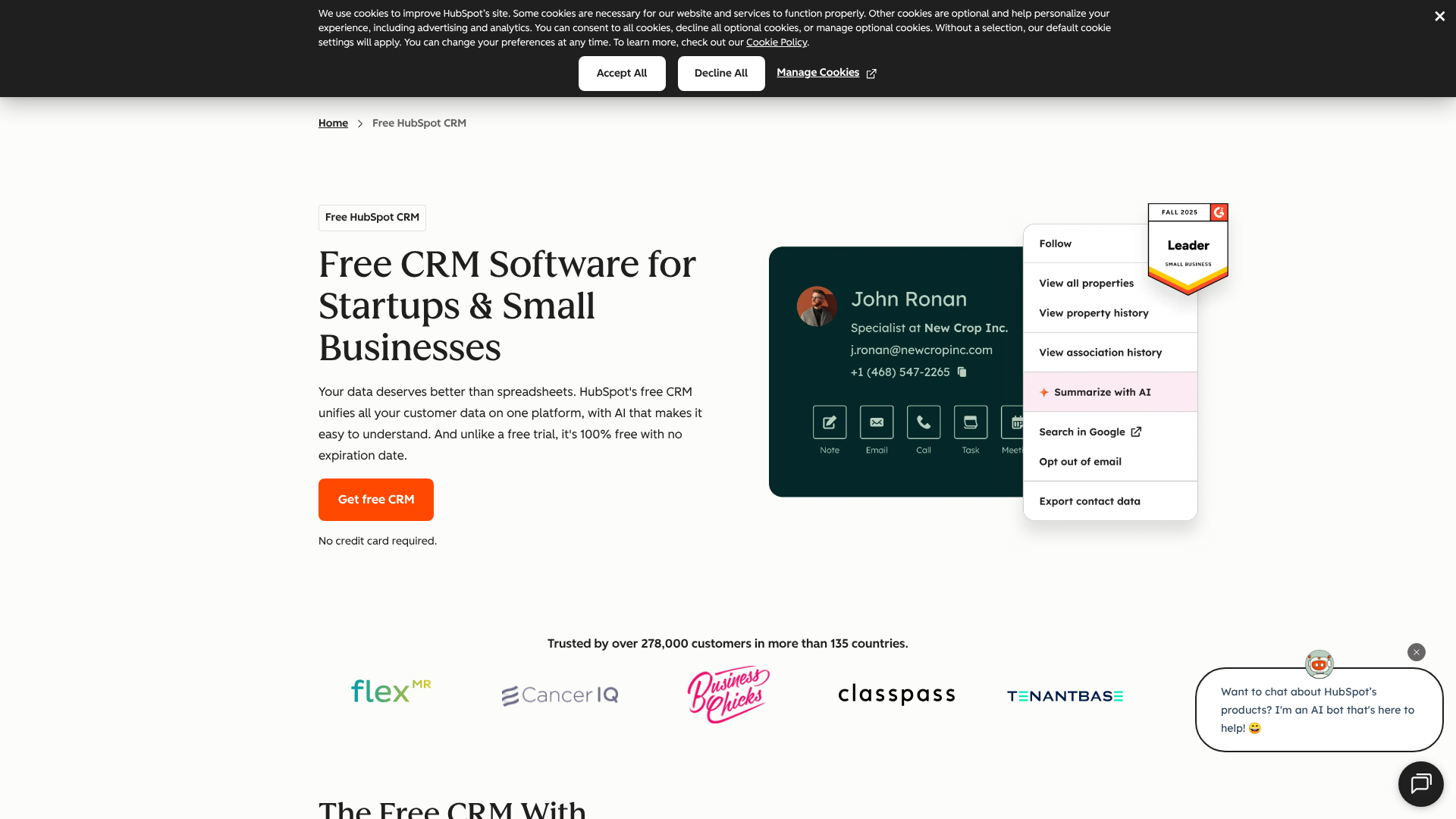
Using the HubSpot CRM for marketing provides a centralized platform to manage customer relationships, automate tasks, and gain deep insights into campaign performance. It connects your marketing efforts directly to sales and service data, creating a unified view of the entire customer journey. This integration helps teams deliver more personalized experiences, nurture leads more effectively, and ultimately prove the ROI of their marketing activities.
Many businesses struggle with disconnected tools, leading to data silos where marketing can't see what happens to their leads after a handoff to sales. A platform like the HubSpot CRM solves this by housing all contact interactions—from first website visit to final sale—in one place. This allows marketers to build campaigns based on actual customer behavior, not just assumptions, leading to smarter decisions and better results.
What You'll Learn
- Unified Customer View: HubSpot's CRM provides a single source of truth for all customer data, breaking down silos between marketing, sales, and service teams.
- Powerful Automation: The platform allows you to automate repetitive marketing tasks like email follow-ups, lead scoring, and contact segmentation, freeing up your team to focus on strategy.
- Deep Analytics: You can track the entire customer lifecycle, from lead generation to conversion, with detailed reporting dashboards that measure campaign performance and ROI.
- Scalable Growth: The HubSpot CRM is built to grow with your business, offering a free-forever foundation with optional paid hubs for advanced marketing, sales, and service features.
What Is HubSpot CRM? An Overview for Marketers

At its core, the HubSpot CRM is a free contact management system designed to organize, track, and build better relationships with your leads and customers. Unlike traditional CRMs that were built primarily for sales teams, HubSpot's platform was designed from the ground up with the entire business in mind, especially marketing. It acts as the central database, or the brain, that powers all of HubSpot's other products, known as "Hubs" (Marketing Hub, Sales Hub, Service Hub, etc.).
For marketers, this means every piece of data you collect is instantly accessible and actionable. When a visitor fills out a form on your website, their information is automatically added to the CRM. Every page they visit, email they open, and link they click is logged on their contact record. This creates a rich, chronological timeline of every interaction a person has with your brand.
The true power of using the CRM for marketing with HubSpot is this seamless data flow. You're not just collecting names and email addresses; you're building comprehensive profiles that help you understand your audience's needs, interests, and buying intent. This foundation allows for highly targeted segmentation, personalized communication, and marketing campaigns that feel helpful, not intrusive.
Is HubSpot Marketing Hub a CRM?
This is a common point of confusion. The HubSpot CRM is the free, foundational database that stores all your contact, company, deal, and ticket information. The HubSpot Marketing Hub is a separate, paid product that sits on top of the CRM and provides advanced marketing tools like marketing automation, SEO planning, social media management, and A/B testing.

You cannot use Marketing Hub without the CRM, as the CRM is the engine that powers it. Think of the CRM as the filing cabinet and Marketing Hub as the set of advanced tools you use to interact with the files. The free CRM is powerful on its own, but when combined with Marketing Hub, it becomes a comprehensive marketing automation platform.
Core Features: The HubSpot CRM for Marketing Toolkit
The HubSpot platform is packed with features specifically designed to make a marketer's life easier and more effective. While the full suite expands with paid tiers, the free CRM itself offers a substantial toolkit to get started. These features work together to help you attract, engage, and delight your audience.
Contact and Lead Management
This is the heart of the CRM. Every contact gets a detailed record that includes not only their basic information (name, email, company) but also a complete history of their interactions with your business. You can see which blog posts they've read, which emails they've opened, and which forms they've submitted. This 360-degree view is invaluable for understanding lead behavior and personalizing your marketing messages.
Forms and Pop-ups
HubSpot allows you to easily create and embed forms on your website to capture leads. You can build everything from simple contact forms to more complex, multi-step pop-ups. All data submitted through these forms flows directly into the CRM, automatically creating or updating contact records without any manual data entry required. This ensures no lead ever falls through the cracks.
Email Marketing and Tracking
While the more advanced automation is in the paid Marketing Hub, the free CRM includes essential email marketing tools. You can send one-to-one emails directly from a contact's record and track opens and clicks. HubSpot also offers a free email marketing tool that allows you to send up to 2,000 emails per month, complete with a drag-and-drop editor to design professional-looking campaigns.
Live Chat and Chatbots
Engage with website visitors in real-time using HubSpot's live chat feature. You can also build simple chatbots to qualify leads, answer common questions, and book meetings, even when your team is offline. All chat conversations are automatically saved to the contact's timeline in the CRM, giving you full context for future interactions.
Reporting Dashboard
Data is useless without analysis. The HubSpot CRM comes with a pre-built reporting dashboard that gives you a high-level overview of your marketing and sales pipeline. You can track key metrics like new contacts created, deals closed, and sales team activity. This helps you understand what's working and where there are opportunities for improvement.
How HubSpot CRM Powers Lead Management and Nurturing
Effective lead management is the bridge between attracting a visitor and converting them into a customer. This is where the HubSpot CRM truly shines for marketing teams. It provides the tools and data necessary to guide leads through the buyer's journey in a structured and personalized way.
First, lead capture is automated. Whether a lead comes from a form, a live chat, or a manual import, it's immediately logged in the CRM. From there, HubSpot's lifecycle stages come into play. You can automatically or manually classify contacts as Subscribers, Leads, Marketing Qualified Leads (MQLs), or Sales Qualified Leads (SQLs).
This classification is critical for ensuring that leads are nurtured appropriately based on their level of interest and readiness to buy.
Next comes lead nurturing. Using the data in the CRM, you can create segmented lists based on almost any criteria imaginable—from job title and company size to recent website activity or email engagement. For example, you could create a list of all contacts who downloaded a specific ebook but haven't visited your pricing page. You can then send this segment a targeted email campaign with a relevant case study or webinar invitation to move them further down the funnel.
Finally, the HubSpot marketing CRM facilitates a smooth handoff between marketing and sales. With lead scoring (available in paid tiers), you can assign points to leads based on their attributes and actions. Once a lead reaches a certain score, they can be automatically assigned to a sales rep, who will have access to the lead's entire activity history. This context ensures the sales conversation is relevant and informed from the very first call, a point often highlighted in user discussions on platforms like LinkedIn where sales and marketing alignment is a key topic.
Automating Your Outreach: Email Marketing with HubSpot CRM
Email marketing remains one of the most effective digital marketing channels, and the HubSpot CRM provides a powerful foundation for building and automating your email strategy. The integration between your contact database and email tools eliminates the need for clunky CSV imports or third-party connectors that can lead to data sync issues.
With the free tools, you can design and send bulk marketing emails to segmented lists. The drag-and-drop editor makes it easy to create visually appealing emails without needing to know how to code. You can personalize these emails with contact properties from the CRM, such as addressing a recipient by their first name or mentioning their company, which can significantly increase engagement rates.
When you upgrade to the Marketing Hub, you unlock marketing automation workflows. This is where the CRM for marketing HubSpot becomes a true powerhouse. Workflows allow you to create automated email sequences that are triggered by a contact's behavior. For instance, if someone downloads a guide, you can automatically enroll them in a 5-day email nurture series that provides additional value and introduces your solution.
These "if-this-then-that" sequences ensure timely, relevant communication without any manual intervention.
Furthermore, every email interaction is tracked and logged in the CRM. You can see who opened your email, who clicked a link, and who unsubscribed. This data feeds back into your contact records, enriching your understanding of each lead and allowing for even more precise segmentation and personalization in future campaigns.
Measuring What Matters: Campaign Analysis and Reporting
One of the biggest challenges for marketers is proving the value of their efforts. The HubSpot CRM provides the tools to connect your marketing activities directly to business outcomes, like revenue. By tracking the entire customer journey in one system, you can finally answer questions like, "Which marketing channel generated our most valuable customers?"
HubSpot's reporting tools allow you to build custom dashboards to monitor the metrics that matter most to your team. You can track everything from website traffic and conversion rates to the number of MQLs generated each month. Because the CRM is connected to sales data, you can go a step further and analyze which campaigns are sourcing the most qualified leads and driving the most deals.
Attribution reporting, available in the professional tiers, is particularly powerful. It helps you understand which marketing touchpoints influenced a conversion. Instead of just giving credit to the last click (e.g., a Google ad), multi-touch attribution models can distribute credit across various interactions, like the initial blog post a person read, the webinar they attended, and the email campaign that prompted them to request a demo. This provides a much more accurate picture of your marketing ROI.
This closed-loop reporting system fosters better alignment between marketing and sales. When both teams are looking at the same data and dashboards, conversations shift from blaming each other for poor lead quality to collaborating on strategies to improve the entire funnel. It transforms marketing from a cost center into a measurable driver of revenue.
The Power of Connection: Integrating HubSpot with Your Martech Stack

No single tool can do everything, and modern marketing teams rely on a variety of specialized applications. The HubSpot CRM is built to be the central hub of your marketing technology (martech) stack, not a walled garden. It offers a vast ecosystem of integrations, allowing you to connect the tools you already use and love.
HubSpot's App Marketplace features hundreds of native integrations with popular software across various categories. For example, you can connect your event management platform like Eventbrite, so that when someone registers for your event, they are automatically added as a contact in your CRM. You can integrate with survey tools like SurveyMonkey to append customer feedback directly to contact records.
For tools that don't have a native integration, platforms like Zapier can act as a bridge, connecting HubSpot to thousands of other web applications. This flexibility ensures that data can flow freely between your systems, keeping your HubSpot CRM as the single source of truth for all customer information. For example, you could create a "Zap" that adds a new row to a Google Sheet every time a new deal is created in HubSpot.
This integrative capability is crucial for efficiency and data accuracy. It eliminates the need for manual data entry between systems, which is both time-consuming and prone to errors. By ensuring all your tools are communicating with your CRM, you can be confident that your marketing team is always working with the most up-to-date and complete information.
Why Marketing Teams Choose HubSpot: Key Benefits Explored
Beyond its specific features, the HubSpot CRM offers several overarching benefits that make it a popular choice for marketing teams, especially in small and growing businesses. These advantages center around efficiency, insight, and alignment.
-
Single Source of Truth: As mentioned, having one central database for all customer interactions is a massive benefit. It breaks down data silos and ensures everyone in the company—from marketing to sales to customer service—is on the same page. This unified view leads to a more consistent and personalized customer experience.
-
Improved Efficiency: Automation is a key driver of efficiency. By automating repetitive tasks like data entry, email follow-ups, and lead assignment, HubSpot frees up marketers to focus on higher-value activities like strategy, content creation, and campaign optimization. This allows smaller teams to accomplish more with fewer resources.
-
Deeper Customer Insights: The platform's ability to track every touchpoint provides unparalleled insight into customer behavior. Marketers can understand which content resonates most, which channels drive the best leads, and what the typical buyer's journey looks like. These insights enable data-driven decision-making rather than relying on guesswork.
-
Enhanced Sales and Marketing Alignment: Misalignment between sales and marketing is a common source of friction and lost revenue. HubSpot fosters alignment by providing a shared platform, common language (like lifecycle stages), and transparent data. When marketing can see which of their leads turn into customers and sales can see the full marketing history of a prospect, collaboration becomes natural and effective.
Pro Tip: Use HubSpot's custom properties feature to store unique data points relevant to your business. For example, a SaaS company might create a property for "Trial Start Date," while an e-commerce store might track "Last Purchase Category." This custom data makes your segmentation and personalization efforts even more powerful.
Real-World Success: HubSpot CRM Marketing Case Studies
Theory and features are one thing, but real-world results demonstrate the true impact of using a marketing CRM like HubSpot. Many companies have shared their success stories, highlighting significant growth in leads, conversions, and revenue after implementing the platform.
One notable example is a B2B tech company that was struggling with a disconnected set of marketing tools. They had one tool for email, another for landing pages, and a separate spreadsheet for tracking leads. After migrating to HubSpot, they were able to consolidate their efforts onto a single platform. By using HubSpot's landing pages, forms, and automated email nurturing, they saw a 75% increase in marketing-qualified leads within the first six months.
The closed-loop reporting also allowed them to prove to their leadership that marketing was directly contributing to new sales.
Another case involves a small e-commerce business that used the free HubSpot CRM to better understand its customer base. By tracking purchase history and website activity, they were able to create highly targeted email segments. They sent a promotional campaign to customers who had previously purchased a specific product category, resulting in a click-through rate that was 3x higher than their general email blasts and a significant uplift in repeat purchases.
These stories underscore a common theme: when you have a unified view of your customer and the tools to act on that information, you can create more effective marketing. The platform provides the structure and data needed to move from scattergun marketing tactics to a strategic, measurable growth engine.
Getting Started: Tips for Implementing the HubSpot Marketing CRM
Adopting any new software can be daunting, but HubSpot is known for its user-friendly interface and extensive support resources. A successful implementation is less about technical skill and more about strategic planning. Here are some tips to ensure a smooth rollout for your marketing team.
-
Define Your Goals First: Before you import a single contact, determine what you want to achieve. Are you trying to increase lead generation? Improve lead nurturing? Better measure ROI? Having clear, measurable goals will guide your implementation and help you prioritize which features to focus on first.
-
Start with a Clean Data Import: Your CRM is only as good as the data inside it. Take the time to clean up your existing contact lists. Remove duplicates, correct typos, and standardize formatting. A clean import will save you countless headaches down the road and ensure your initial campaigns are accurate.
-
Customize Properties and Stages: Don't just use HubSpot out of the box. Customize contact properties to capture the information that is most important to your business. Define your lifecycle stages (e.g., what criteria make a lead an MQL?) so that everyone on the team understands the terminology and process for moving contacts through the funnel.
-
Integrate Key Tools Early: Identify the most critical tools in your existing martech stack (e.g., your email platform, your webinar software) and set up those integrations early in the process. This ensures a continuous flow of data from day one and minimizes disruption to your ongoing marketing activities.
-
Train Your Team: HubSpot offers a wealth of free training and certification courses through the HubSpot Academy. Encourage your entire team to complete the relevant courses. A well-trained team will adopt the platform more quickly and be more likely to use its features to their full potential.
HubSpot vs. The Competition: A Comparative Analysis
While HubSpot is a leader in the CRM space, it's not the only option available. Understanding how it compares to other popular tools can help you decide if it's the right fit for your marketing needs. The best choice often depends on your team's size, budget, and specific requirements.
HubSpot CRM Pros and Cons
Pros:
-
All-in-One Platform: The biggest advantage is having marketing, sales, and service tools that work together on a single database. This creates a truly unified customer view. – User-Friendly Interface: HubSpot is widely praised for its intuitive design, making it easy for non-technical users to learn and adopt. – Powerful Free CRM: The free version is incredibly generous, providing a solid foundation that many small businesses can use for a long time before needing to upgrade.
-
Excellent Educational Resources: HubSpot Academy offers free, high-quality training that helps users master both the software and inbound marketing principles.
Cons:
- Can Get Expensive: While the CRM is free, the paid Marketing Hub can become costly, especially as your contact list grows. The pricing structure can be complex to navigate.
- Less Customization than Enterprise CRMs: Compared to giants like Salesforce, HubSpot offers less deep-level customization, which might be a limitation for very large, complex organizations.
HubSpot vs. Other Marketing CRMs
Here’s a brief look at how the HubSpot marketing CRM stacks up against some alternatives.
| Feature | HubSpot CRM | Zoho CRM | Pipedrive | Close CRM |
|---|---|---|---|---|
| Primary Focus | All-in-one (Marketing, Sales, Service) | Broad business suite | Sales pipeline management | Sales engagement for SMBs |
| Free Plan | Yes, very robust free CRM | Yes, limited free plan | No free plan (trial only) | No free plan (trial only) |
| Ease of Use | Very High | Moderate | High | High |
| Marketing Tools | Excellent (especially with paid Hub) | Good (integrated with Zoho Campaigns) | Basic | Basic |
| Best For | Businesses wanting an integrated platform | Businesses already using the Zoho ecosystem | Sales-focused teams needing a visual pipeline | High-velocity sales teams |

-
Zoho CRM: A strong competitor, especially for businesses on a budget or those already using other Zoho products. It offers a wide range of features, but the user interface can be less intuitive than HubSpot's, and integrating all the different Zoho apps can sometimes feel less polished.
-
Pipedrive & Close CRM: These are excellent CRMs but are much more sales-focused. Their marketing features are limited compared to HubSpot. They are designed to help sales teams manage their pipeline and close deals efficiently, but they don't offer the comprehensive marketing toolkit that HubSpot provides.
Ultimately, if your primary need is a platform that deeply integrates powerful marketing tools with a user-friendly CRM, HubSpot is often the top contender.
Frequently Asked Questions (FAQ)
What is HubSpot used for in marketing?
In marketing, HubSpot is used as a central platform to manage the entire customer lifecycle. Its primary functions include lead generation (through forms, pop-ups, and live chat), lead management and nurturing (through contact segmentation and email marketing), and campaign analysis (through detailed reporting and analytics). It helps marketers attract visitors, convert them into leads, and analyze which strategies are most effective at turning those leads into paying customers.
How much does HubSpot marketing CRM cost?
The core HubSpot CRM is 100% free forever and includes essential tools like contact management, email marketing, live chat, and reporting dashboards. For more advanced marketing features, you need to purchase the HubSpot Marketing Hub, which is a paid add-on. The pricing for Marketing Hub is tiered and depends on the features you need and the number of marketing contacts in your database. For the most current pricing, it's best to visit the official HubSpot pricing page.
What are the cons of HubSpot?
While HubSpot is a powerful platform, it has a few potential downsides. The primary con is cost; the paid Hubs can become expensive as your business scales and your contact list grows. Some users find the pricing tiers complex. Another potential limitation is that while it's highly versatile, it may offer less in-depth customization than enterprise-level CRMs like Salesforce, which could be a factor for very large companies with unique process requirements.
Who is HubSpot's biggest competitor?
HubSpot's biggest competitor often depends on the specific product and market segment. For the all-in-one CRM platform for SMBs, Zoho is a major competitor, offering a similarly broad suite of business applications. In the enterprise space, Salesforce is the dominant player and a key competitor, particularly for larger companies. For marketing automation specifically, alternatives like Mailchimp and ActiveCampaign are also strong competitors.
Is HubSpot worth it for a small business?
Yes, HubSpot is often considered an excellent choice for small businesses. The free CRM provides a huge amount of value at no cost, allowing a small business to establish a professional system for managing contacts and leads without any initial investment. As the business grows, it can choose to upgrade to paid features incrementally. The platform's ease of use and extensive free training resources also make it highly accessible for small teams that may not have dedicated IT support.
Final Thoughts
Choosing the right CRM is a critical decision for any marketing team. The HubSpot CRM for marketing stands out by offering a powerful, user-friendly, and integrated platform that places marketing at the center of the customer journey. It provides the tools to not only execute campaigns but also to understand customers on a deeper level and prove the direct impact of marketing on revenue.
From its robust free offering to its scalable paid hubs, the platform is designed to grow with your business. By breaking down data silos and fostering alignment between sales and marketing, it creates a foundation for sustainable, long-term growth. If you're looking to move beyond disconnected spreadsheets and tools to a unified system that drives results, HubSpot is a compelling solution.
Ready to see how a connected CRM can transform your marketing? You can get started with the powerful, free-forever HubSpot CRM today and begin building a better view of your customers.