









What Is a Customer Relationship Management System? A Guide for Growing Businesses
A customer relationship management (CRM) system is a technology that helps businesses of all sizes manage and analyze their interactions with customers and potential customers. Think of it as a central hub for all your customer data, tracking every email, phone call, meeting, and purchase. The goal is simple: to improve business relationships, which in turn drives customer loyalty and revenue growth.
Instead of juggling messy spreadsheets, scattered sticky notes, and overflowing inboxes, a CRM organizes this information into a single, accessible platform. This gives your sales, marketing, and customer service teams a complete 360-degree view of every customer, allowing them to provide a more personalized and consistent experience at every touchpoint.
Quick Summary
- Centralized Hub: A CRM system consolidates all customer information and interactions into one place, eliminating data silos and providing a single source of truth for your teams.
- More Than Software: While it is a technology, customer relationship management is also a business strategy focused on understanding, managing, and nurturing customer relationships to drive long-term growth.
- Key Benefits: Implementing a CRM leads to improved sales productivity, better customer retention, more accurate forecasting, and data-driven business decisions.
- Types of CRM: The main types are Operational (automating processes), Analytical (analyzing data), and Collaborative (sharing information), though most modern platforms are hybrids.
- Choosing a System: The right CRM depends on your business goals, team size, technical needs, and budget. Start by defining your processes before evaluating software.
What is Customer Relationship Management (CRM), Really?
At its core, customer relationship management is a strategy for managing all your company's relationships and interactions with your customers and potential customers. When people ask, "what is CRM?", they are usually referring to the software that makes this strategy possible: a CRM system.
This system acts as your business's collective memory. It records contact information like names, emails, and phone numbers, but its real power lies in tracking the entire relationship history. It knows when you last spoke, what you discussed, what products they've purchased, and where they are in your sales process. This context is critical for building strong, lasting relationships.
Many experts, like those discussing the topic on platforms like LinkedIn, emphasize that CRM is a philosophy first and a tool second. The philosophy is about putting the customer at the center of your business. The tool—the CRM software—is what enables you to execute this philosophy at scale. Without it, important details fall through the cracks, leads are forgotten, and customers receive inconsistent service.
The Core Engine: Key Features of a Modern CRM System

A CRM system is more than just a digital address book. It's packed with features designed to streamline workflows and provide deep insights into your business operations. Understanding these core components helps explain what a customer relationship management system truly does for a business.
Contact Management
This is the foundational feature of any CRM. It allows you to store detailed information about every contact, including their name, email, phone number, company, role, and social media profiles. More importantly, it logs every interaction—emails, calls, meetings—creating a complete, chronological history for each person. This ensures any team member can pick up a conversation with full context.

Sales Pipeline & Deal Tracking
For sales teams, this is indispensable. A CRM provides a visual representation of your sales process, often as a Kanban-style board with stages like "New Lead," "Contact Made," "Proposal Sent," and "Closed-Won." Sales reps can drag and drop deals from one stage to the next, giving managers a real-time overview of the entire pipeline and helping them forecast revenue with much greater accuracy.
Automation (Workflows & Sequences)
Modern CRMs excel at automating repetitive tasks. You can set up workflows to automatically send follow-up emails to new leads, create tasks for sales reps when a deal moves to a new stage, or update contact records based on specific triggers. This frees up your team from manual data entry and administrative work, allowing them to focus on high-value activities like talking to customers.
Reporting & Analytics
Data is useless without insights. CRM systems come with powerful reporting dashboards that track key performance indicators (KPIs) like sales cycle length, conversion rates, and team performance. You can see which marketing campaigns are generating the most leads, which sales reps are closing the most deals, and identify bottlenecks in your process. This data is crucial for making informed business decisions.
Communication Tracking
Many CRMs integrate directly with your email and phone systems. When you send an email from your Gmail or Outlook, a copy is automatically logged in the CRM under the recipient's contact record. Some platforms, like Close CRM, even have built-in calling and texting features, ensuring every single communication is tracked without any extra effort.

Not All CRMs Are Created Equal: The 3 Main Types
When exploring CRM options, you'll find they are often categorized into three main types. While most modern systems blend elements of all three, understanding these categories helps clarify their primary focus and how they can serve different business needs. This is one of the most common questions users have, as seen in discussions on forums like Reddit.
1. Operational CRM
Operational CRMs are designed to streamline and automate the day-to-day processes of your customer-facing teams: sales, marketing, and customer service. The goal is to make these departments more efficient and effective.
- Sales Automation: Manages tasks like contact management, lead scoring, and pipeline tracking.
- Marketing Automation: Helps with email campaigns, lead nurturing, and tracking customer engagement.
- Service Automation: Manages customer support tickets, knowledge bases, and service requests.
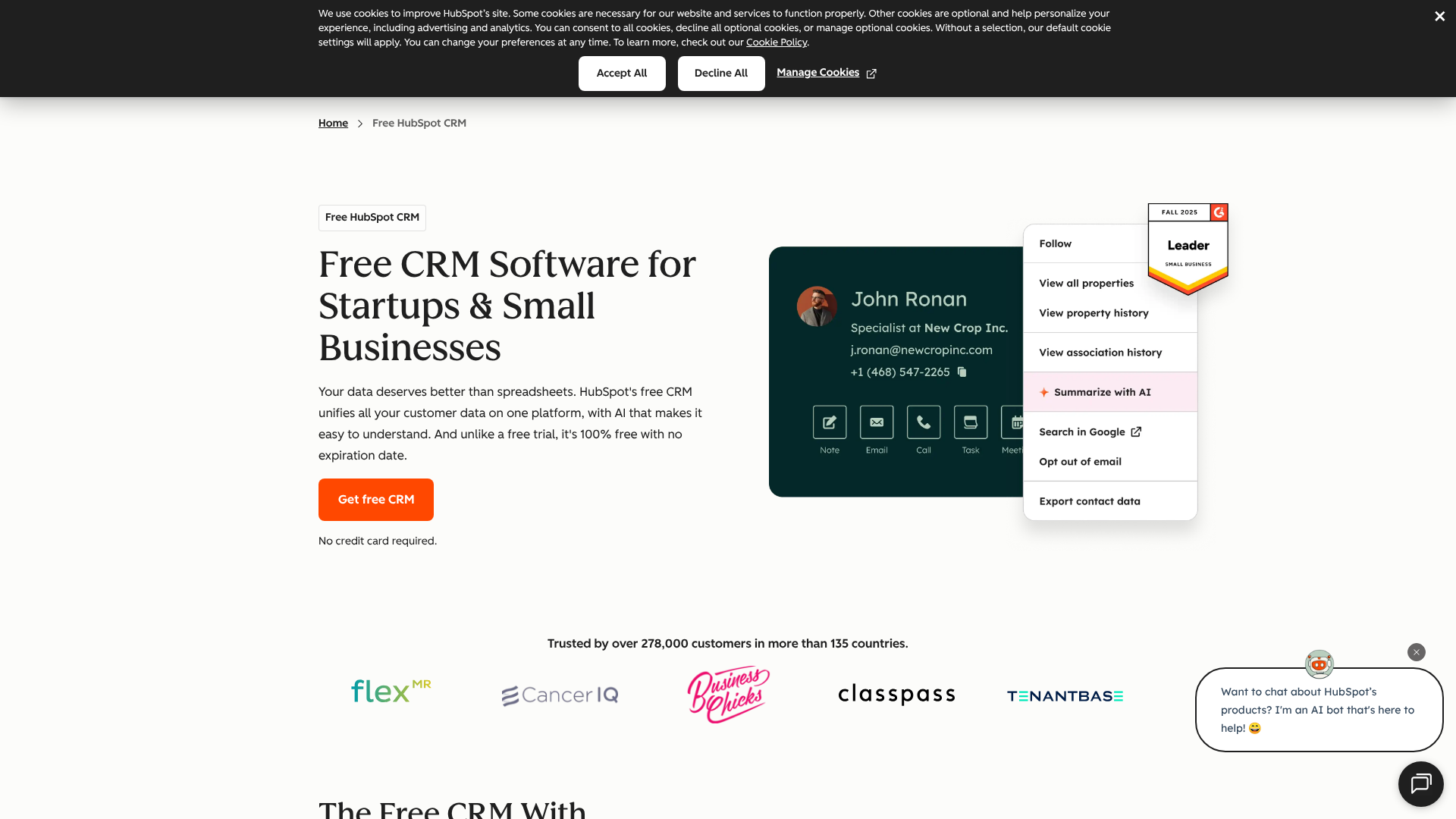
An excellent example of a platform with strong operational capabilities is HubSpot CRM, which offers a suite of tools to automate and manage the entire customer journey, starting with a powerful free plan.
2. Analytical CRM
Analytical CRMs are all about data. Their primary function is to help you analyze the vast amount of customer data you collect to uncover meaningful insights and trends. This type of CRM helps you understand customer behavior, identify your most profitable customer segments, and predict future sales.
These systems use techniques like data mining and pattern recognition to answer questions like: "What are the common characteristics of customers who churn?" or "Which marketing channels provide the highest lifetime value?" The insights gained from an analytical CRM are used to make better strategic decisions across the entire business.
3. Collaborative CRM
Collaborative CRMs, also known as strategic CRMs, focus on breaking down silos between departments. The main objective is to ensure that all teams—sales, marketing, support, and even finance—have access to the same, up-to-date customer information. When your support team knows about a recent sales conversation, or your sales team can see a customer's support ticket history, the customer receives a much more seamless and consistent experience.
This type of CRM facilitates communication and information sharing across the organization, ensuring that everyone is working from the same playbook.
Why Bother? The Tangible Benefits of a CRM System
Adopting a new piece of software can feel like a major undertaking, so it's fair to ask what the return on investment is. A well-implemented CRM system offers significant, measurable benefits that directly impact your bottom line.
-
Centralized Customer Data: This is the most immediate benefit. Having a single source of truth for all customer information eliminates duplicate data, reduces errors, and ensures everyone has access to the most current information. No more digging through emails or asking colleagues for updates.
-
Improved Sales Productivity: By automating administrative tasks and providing a clear view of the sales pipeline, a CRM allows sales reps to spend more time selling. Research consistently shows that CRMs can increase sales productivity by over 30%. They help reps prioritize leads, track follow-ups, and close deals faster.
-
Enhanced Customer Service & Retention: When your support team has access to a customer's full history, they can provide faster, more personalized service. This leads to higher customer satisfaction and loyalty. Since retaining an existing customer is far cheaper than acquiring a new one, this has a direct impact on profitability.
-
Accurate Sales Forecasting: With all your deal data in one place, you can generate reliable sales forecasts with just a few clicks. This helps with resource planning, goal setting, and managing cash flow. It moves forecasting from guesswork to a data-driven process.
-
Data-Driven Decision Making: A CRM turns raw data into actionable insights. You can identify your best-performing products, most effective marketing channels, and top sales reps. This allows you to double down on what's working and fix what isn't, leading to smarter strategic decisions.
Spreadsheets vs. Software: Why Your Old Methods Are Holding You Back
For many startups and small businesses, the first "CRM" is a simple spreadsheet. It's free, familiar, and seems to get the job done—at first. However, as your business grows, the limitations of using tools like Excel or Google Sheets for customer relationship management become painfully obvious. This is a critical distinction that often gets asked: "Is Excel a CRM?" The short answer is no.
A spreadsheet is a static document. It can store data, but it can't automate processes, provide real-time collaboration, or offer deep analytics. It's a passive list, whereas a CRM is an active, intelligent system.
Here’s a quick comparison:
| Feature | Spreadsheets (Excel, Google Sheets) | CRM Software |
|---|---|---|
| Collaboration | Prone to version control issues; only one user can edit at a time (or risk overwrites). | Real-time access for the entire team; all changes are logged and visible instantly. |
| Automation | None. All data entry and follow-up reminders are manual. | Automates email follow-ups, task creation, data entry, and more. |
| Data Integrity | High risk of human error, typos, and inconsistent formatting. | Uses standardized fields and validation rules to keep data clean and consistent. |
| Scalability | Becomes slow, cumbersome, and unmanageable with thousands of rows. | Designed to handle millions of records without a drop in performance. |
| Reporting | Requires manual creation of charts and pivot tables; limited insights. | Built-in dashboards and customizable reports that provide deep, real-time analytics. |
| Integration | Does not connect with other tools like email or marketing platforms. | Integrates seamlessly with hundreds of other business applications. |
While a spreadsheet might work for a handful of clients, it quickly becomes a bottleneck to growth. A dedicated CRM system is built to scale with your business.
How to Choose the Right CRM System for Your Business
Selecting a CRM is a significant decision. With hundreds of options on the market, it's easy to feel overwhelmed. The key is to focus on your specific business needs rather than getting distracted by flashy features you'll never use. Here’s a step-by-step approach to finding the right fit.
1. Define Your Goals and Processes
Before you even look at software, map out your current sales, marketing, and service processes. What are your biggest pain points? Are you losing leads? Is follow-up inconsistent? Your goal for a CRM should be to solve these specific problems. A clear understanding of your needs will be your most important guide.
2. Consider Your Team's Technical Skill
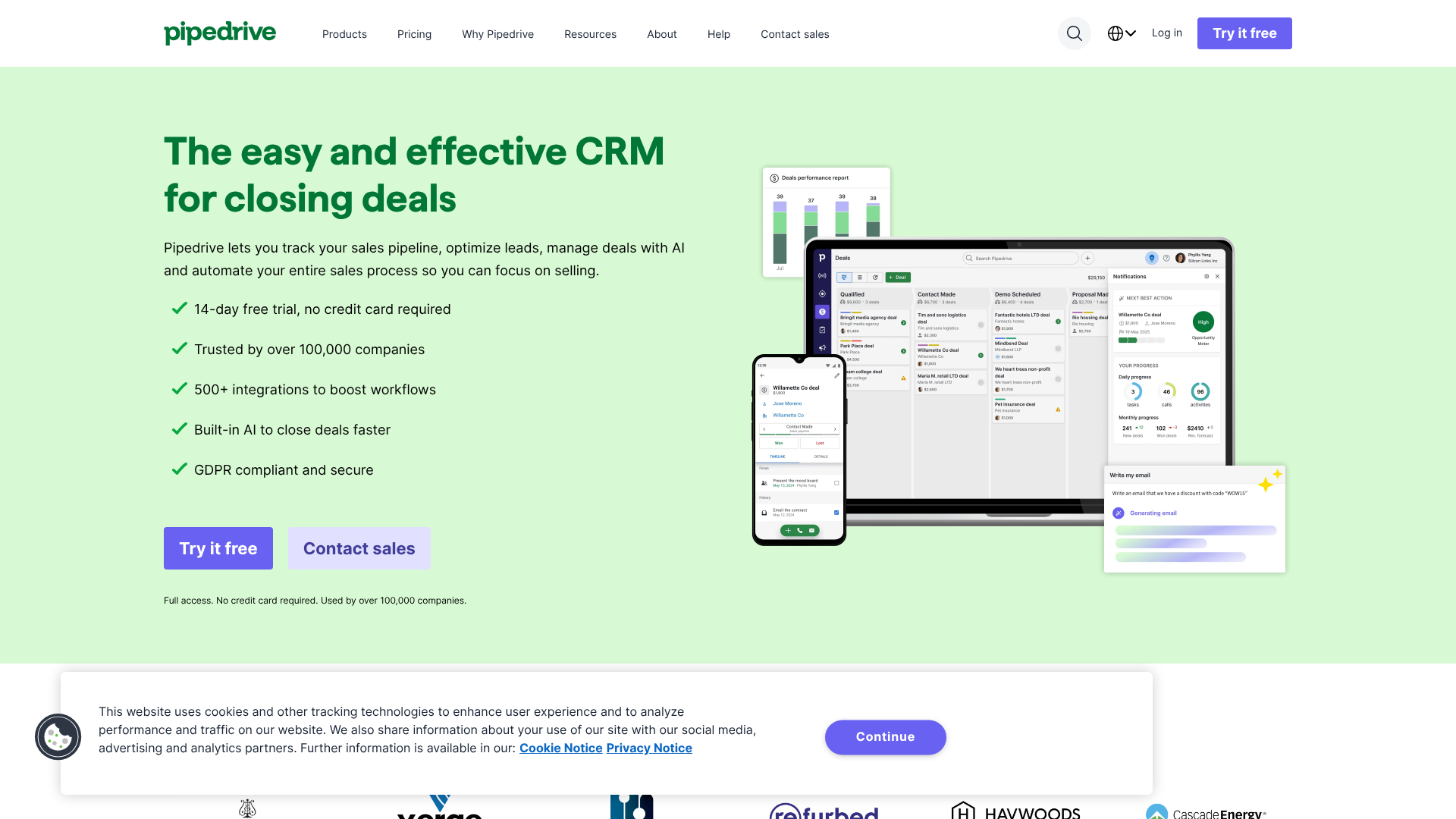
If your team isn't comfortable with complex software, even the most powerful CRM will fail due to low adoption. Look for a system with an intuitive, user-friendly interface. Many CRMs, like Pipedrive, are specifically designed for ease of use, with a strong focus on a clean visual pipeline that sales teams can adopt quickly.
3. Evaluate Key Features and Scalability
Based on your goals, create a checklist of must-have features. Do you need marketing automation? Advanced reporting? Built-in calling? Also, think about the future. Choose a CRM that can grow with you. It should be able to handle more users, more data, and more complex processes as your business expands.
4. Check Integration Capabilities
Your CRM should act as the central hub of your tech stack. Make sure it integrates with the other tools you already use, such as your email provider (Gmail, Outlook), calendar, marketing automation platform, and accounting software. Seamless integration prevents data silos and saves countless hours of manual work.
5. Compare Pricing and Total Cost of Ownership
CRM pricing can range from free to thousands of dollars per month. Look beyond the sticker price. Consider the total cost of ownership, which includes implementation fees, training costs, and charges for additional users or features. Many providers offer free trials or free-forever plans, which are a great way to test the software before committing.
Pro Tip: Start simple. It's often better to choose a CRM that does a few things exceptionally well than one that does everything poorly. You can always add more functionality later as your needs evolve. Focus on mastering the core features first.
Creating a Connected Tech Stack: Integrating Your CRM
A CRM system becomes exponentially more powerful when it's connected to the other tools you use to run your business. Integration is the process of making these different software systems talk to each other, share data, and work together. This creates a unified ecosystem where information flows freely, eliminating manual data transfer and providing a holistic view of your operations.
For example, integrating your CRM with your marketing automation platform allows you to see which marketing campaigns a lead has interacted with directly on their contact record. This gives your sales team valuable context for their conversations. Integrating with your accounting software can automatically update a customer's record when an invoice is paid, giving your support team visibility into their billing status.
Many CRMs offer a marketplace of native, one-click integrations with popular apps. For more complex or custom connections, tools like Zapier or Make can act as a bridge between your CRM and thousands of other applications. Some platforms, like Zoho CRM, are part of a larger suite of business apps (Zoho One), which are designed to work together from the ground up, offering incredibly deep integration.
Getting the Most Value: Best Practices for Using a CRM
Simply buying a CRM is not enough; you have to use it effectively. Success with a CRM depends heavily on the processes and habits you build around it. Here are some best practices to ensure you get the maximum return on your investment.
-
Ensure Data Quality and Consistency: Garbage in, garbage out. Establish clear rules for data entry and make sure everyone on the team follows them. Consistent data is essential for accurate reporting and effective automation.
-
Provide Comprehensive Team Training: Don't just give your team a login and expect them to figure it out. Provide thorough training on how to use the CRM in a way that aligns with your business processes. Ongoing training is also important to keep everyone up-to-date on new features.
-
Automate Repetitive Tasks: Take full advantage of the automation features. Identify the manual, repetitive tasks your team performs every day—like sending welcome emails or scheduling follow-up tasks—and build workflows to automate them. This is one of the biggest drivers of productivity.
-
Regularly Review Your Reports: Your CRM dashboard is your business's health monitor. Make it a habit to review your key reports weekly. This will help you spot trends, identify problems early, and make proactive, data-driven decisions.
-
Define and Standardize Your Processes: Your CRM should reflect your business processes, not the other way around. Standardize your sales stages, lead qualification criteria, and customer service workflows. This ensures everyone is following the same playbook, which leads to consistent results.
Common Roadblocks: Navigating CRM Implementation Challenges
While a CRM can be transformative, the implementation process isn't always smooth. Being aware of the common challenges can help you plan for them and increase your chances of a successful rollout.
-
Low User Adoption: This is the number one reason CRM implementations fail. If your team doesn't use the system, it's worthless. To combat this, involve your team in the selection process, choose a user-friendly system, provide excellent training, and clearly communicate the benefits for them (e.g., "This will save you 5 hours a week on admin work").
-
Poor Data Migration: Moving your existing customer data from spreadsheets or an old system into the new CRM can be complex. Inaccurate or messy data migration can cripple your new system from day one. Plan this step carefully, clean your data before migrating, and consider hiring an expert if you have a large or complex dataset.
-
Lack of a Clear Strategy: Implementing a CRM without clear goals is like setting sail without a destination. You need to know what you want to achieve. Is it to increase lead conversion by 15%? Or reduce customer response time by 50%? A clear strategy will guide your implementation and help you measure success.
-
Overly Complex Customization: It can be tempting to customize every field and workflow to perfection. However, over-customization can make the system confusing and difficult to use. Start with the out-of-the-box setup and only add customizations as you identify a clear need for them.
The Future of Customer Relationships: Emerging CRM Trends
The world of customer relationship management is constantly evolving. Technology is enabling businesses to connect with customers in new and more powerful ways. Here are some of the key trends shaping the future of CRM.
-
Artificial Intelligence (AI) and Predictive Analytics: AI is being integrated into CRMs to automate tasks, provide predictive lead scoring (identifying which leads are most likely to close), and offer intelligent recommendations to sales reps. It's moving CRM from a system of record to a system of intelligence.
-
Hyper-Personalization: With the vast amount of data available, customers now expect highly personalized interactions. Future CRMs will use this data to enable businesses to tailor their marketing messages, product recommendations, and service experiences to the individual level.
-
Mobile-First CRM: Sales and service teams are increasingly working on the go. A powerful, full-featured mobile CRM app is no longer a nice-to-have; it's a necessity. This allows reps to update deals, log calls, and access customer information from anywhere.
-
Social CRM and Omnichannel Communication: Customers interact with businesses across a wide range of channels—email, phone, social media, live chat, and more. Modern CRMs are integrating these channels into a single, unified view, allowing businesses to manage conversations and provide a consistent experience no matter how the customer chooses to connect.
Frequently Asked Questions (FAQ)
What are the three types of CRM?
The three main types of CRM are Operational, Analytical, and Collaborative. Operational CRM focuses on automating customer-facing business processes like sales, marketing, and service. Its goal is to make daily tasks more efficient.
Analytical CRM is centered on data analysis. It helps businesses understand customer behavior, segment their audience, and make strategic decisions based on data-driven insights. Collaborative CRM aims to break down silos between departments by sharing customer information across the entire organization, ensuring a consistent customer experience.
What is CRM in simple words?
In simple words, a CRM is a single place to organize all the information about your customers and your interactions with them. Think of it as a smart, shared address book for your entire company that automatically remembers every conversation, purchase, and support request. It helps you build better relationships by ensuring you never forget important details about your customers.
What are the 4 principles of CRM?
While different experts may frame them slightly differently, the four core principles of a successful CRM strategy are typically: customer-centricity, data-driven processes, automation, and collaboration. Customer-centricity means putting the customer's needs at the heart of every decision. Data-driven processes involve using customer data to inform actions and strategies.
Automation is about using technology to handle repetitive tasks, freeing up humans for more valuable work. Collaboration ensures that all departments are working together with shared information to provide a unified customer experience.
What is a CRM with examples?
A CRM is software that helps businesses manage customer relationships. There are many examples, each with different strengths. HubSpot CRM is a popular example known for its powerful free plan and all-in-one marketing, sales, and service tools. Pipedrive is an example of a CRM built specifically for sales teams, with a strong focus on visual pipeline management.
Zoho CRM is a highly customizable option that is part of a larger ecosystem of business apps. Close CRM is an example designed for high-volume sales teams, with built-in calling, SMS, and email automation to maximize outreach.
Is Excel a CRM software?
No, Excel is not a CRM software. While it can be used to store a list of contacts, it lacks the core functionalities of a true CRM. Excel cannot automate workflows, provide real-time collaboration for a team, track communication history automatically, or offer advanced reporting and analytics. It is a manual, static tool, whereas a CRM is an active, dynamic system designed specifically for managing customer relationships at scale.
Is CRM difficult to learn?
The difficulty of learning a CRM depends entirely on the software you choose and the complexity of your setup. Some CRMs are designed to be very intuitive and can be learned in a few hours. Others are extremely powerful and customizable, which can come with a steeper learning curve requiring more extensive training.
The key is to choose a system that matches your team's technical comfort level. Starting with a user-friendly CRM and focusing on core features is the best way to ensure successful adoption.
Final Thoughts
Understanding what a customer relationship management system is goes beyond a simple software definition. It's about embracing a strategy that puts your customers at the center of everything you do. A CRM system is the foundational tool that enables this strategy, providing the organization, automation, and insight needed to build and maintain strong, profitable relationships.
Whether you're a solo entrepreneur trying to keep track of your first clients or a growing enterprise managing thousands of customers, a CRM is no longer a luxury—it's an essential component of a modern, competitive business. By centralizing your data and streamlining your processes, you empower your team to do their best work and deliver an exceptional experience that turns customers into lifelong fans.
If you're ready to move beyond spreadsheets, consider exploring user-friendly options. A platform like Pipedrive is excellent for sales-focused teams who need a clear, visual pipeline, while HubSpot CRM offers a fantastic free starting point with tools that can grow with your entire business.