

7 Best Free Budgeting Apps Reddit Users Recommend for 2025
When you want honest, unfiltered opinions on personal finance tools, there's no better place to look than the forums of Reddit. Sifting through countless threads to find the consensus on the best free budgeting apps Reddit users actually trust can be overwhelming. That's why we've done the work for you, diving deep into communities like r/personalfinance and r/Frugal to uncover the tools that consistently get the nod for their functionality, ease of use, and, most importantly, their price tag: free.
These aren't just apps with good marketing; they are battle-tested tools recommended by real people who have used them to pay off debt, build savings, and finally get a handle on their financial lives. This guide breaks down the top picks, what makes them great, and who they're best for, so you can choose the right app to start your budgeting journey today.
What You'll Learn
- Reddit's Top Picks: The most frequently recommended free budgeting apps are Rocket Money, NerdWallet, and Empower Personal Dashboard, each serving a slightly different purpose from subscription canceling to net worth tracking.
- Manual vs. Automatic: Many Redditors advocate for manual entry apps like EveryDollar or spreadsheets because they force you to be more mindful of your spending habits.
- The 'Freemium' Catch: Most free apps operate on a freemium model. Understand the limitations of the free tier and be prepared for upsells to premium features.
- Spreadsheets Still Rule: For ultimate control, privacy, and customization, a simple Google Sheet or Excel spreadsheet remains a top recommendation among Reddit's financially savvy users.
- The Best App is Subjective: The ideal budgeting tool depends entirely on your personality and financial goals. The key is finding one you will consistently use.
Why Trust Reddit for Financial App Reviews?

In a world saturated with sponsored posts and polished marketing campaigns, Reddit stands out as a source of raw, user-generated feedback. When someone on r/personalfinance shares their experience with an app, it often comes with a level of honesty you won't find elsewhere. Users are quick to point out flaws, hidden fees, or privacy concerns that official reviews might gloss over.
This collective hive mind provides a diverse range of perspectives. You'll hear from students trying to manage loans, couples merging finances, high-earners tracking investments, and people on a tight budget trying to make every dollar count. This variety ensures that the free budgeting apps reviews you find are grounded in real-world application, not just a list of features.
However, it's wise to approach this advice with a critical eye. What works for one person's simple financial situation might not work for another's complex portfolio. The key is to look for patterns—when hundreds of users consistently recommend an app for the same reasons, it's a strong signal of its value.
The Top Free Budgeting Apps According to Reddit
After analyzing hundreds of discussions, we've identified the apps that Redditors consistently praise. Here are the top contenders, complete with their strengths, weaknesses, and ideal user.
1. Rocket Money (Formerly Truebill)
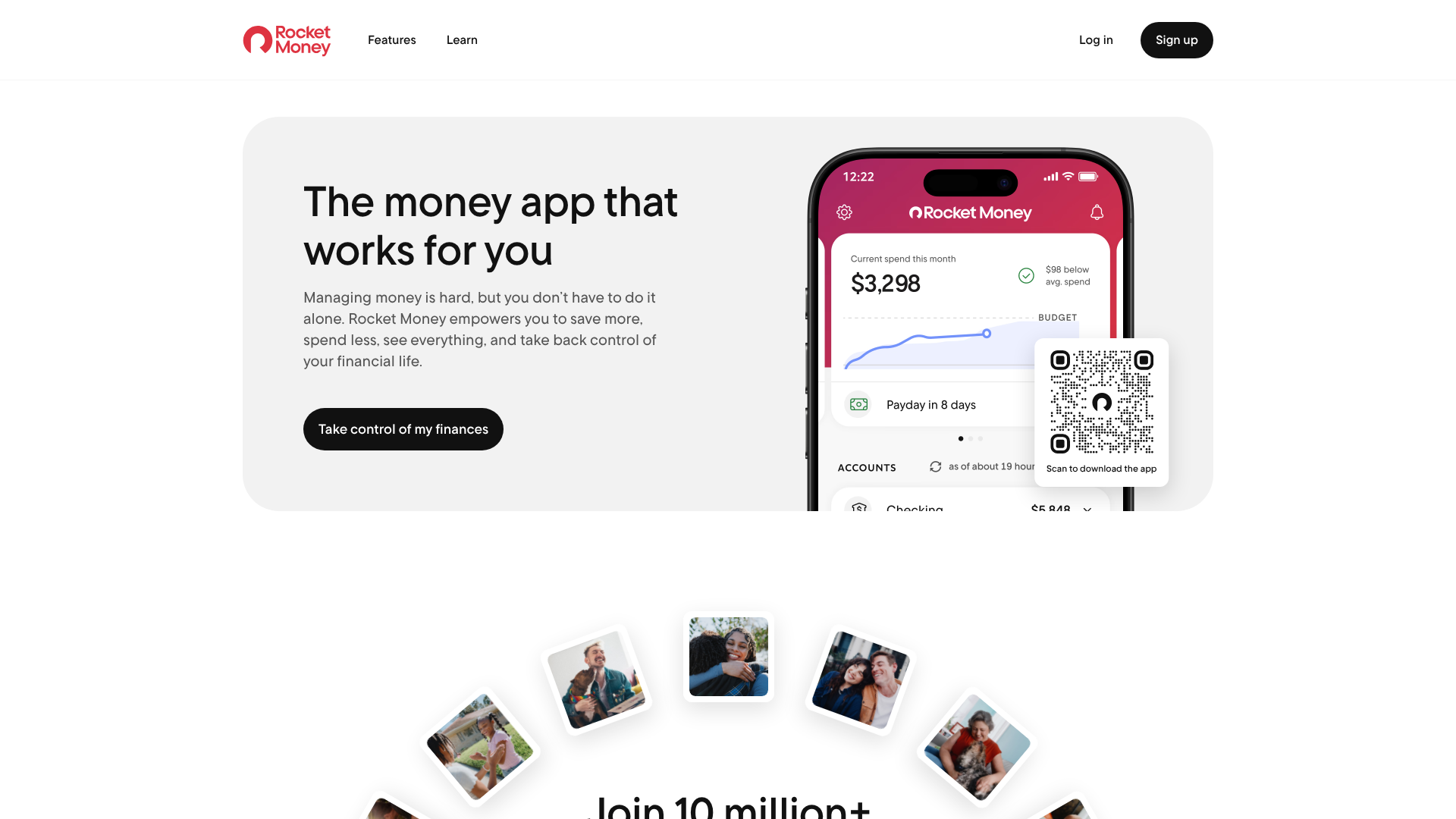
Rocket Money is frequently mentioned on Reddit as a powerhouse for one specific reason: it excels at finding and canceling unwanted subscriptions. While it functions as a comprehensive budgeting tool, its ability to automatically identify recurring charges and help you cancel them with a few taps is its standout feature.
The free version of the app provides a clear overview of your spending, tracks your account balances, and monitors your credit score. It automatically categorizes your transactions, giving you a snapshot of where your money is going each month. For users who feel like their money is disappearing into a black hole of forgotten free trials and old gym memberships, Rocket Money is a lifesaver.
Pros
- Excellent Subscription Management: Its primary strength is identifying and helping you cancel recurring bills and subscriptions.
- Automated Tracking: The app automatically syncs with your bank accounts to track spending and income.
- User-Friendly Interface: It presents your financial data in a clean, easy-to-understand dashboard.
Cons
- Premium Features Push: Many of the most powerful features, like bill negotiation and custom categories, are locked behind a premium subscription.
- Categorization Isn't Perfect: Like most automated apps, it sometimes miscategorizes transactions, requiring manual correction.
2. Empower Personal Dashboard (Formerly Personal Capital)
For Redditors focused on the bigger picture—like tracking investments and calculating net worth—Empower Personal Dashboard is the undisputed champion. While its budgeting features are more basic than dedicated budgeting apps, its investment tracking tools are second to none in the free category.
Empower allows you to link all your financial accounts in one place: checking, savings, credit cards, 401(k)s, IRAs, mortgages, and other loans. It then provides a real-time view of your entire net worth. Its free tools include a retirement planner, an investment checkup that analyzes your portfolio for hidden fees, and a basic spending tracker.
This app is perfect for those who have moved beyond basic budgeting and want to monitor their progress toward long-term goals like retirement or financial independence. It's one of the top free budgeting apps for investors.
Pros
- Superior Investment Tracking: Unmatched ability to aggregate investment accounts and analyze your portfolio.
- Comprehensive Net Worth View: Provides a holistic look at your complete financial picture.
- Powerful Free Tools: The Retirement Planner and Fee Analyzer offer immense value at no cost.
Cons
- Basic Budgeting Features: The spending categorization and budgeting tools are not as detailed as competitors.
- Advisory Service Upsell: The platform is a lead generator for Empower's paid wealth management services, so expect contact from advisors.
3. NerdWallet
Since the shutdown of Mint, many Redditors have migrated to the NerdWallet app as a solid free alternative. Backed by the well-known personal finance website, the app provides a reliable set of tools for tracking your cash flow, spending, and net worth.
It allows you to see all your accounts in one place and automatically categorizes your spending into buckets like "Food & Drinks" or "Shopping." One of its unique features is the "Cash Flow" view, which shows you how much money you have coming in versus going out over time. It also offers credit score monitoring and personalized recommendations for financial products like credit cards and loans.
NerdWallet is a great all-around choice for someone looking for a simple, no-cost way to monitor their finances without the complexity of some other platforms.
Pros
- Strong Mint Alternative: Offers many of the core features that Mint users loved.
- All-in-One Dashboard: Tracks spending, net worth, and credit score in a single app.
- No Cost: The app is completely free to use.
Cons
- Product Recommendations: The app's business model is based on recommending financial products, which can feel like advertising.
- Lacks Advanced Features: It doesn't offer deep customization or advanced goal-setting features found in paid apps.
4. Spreadsheets (Google Sheets / Microsoft Excel)
You can't browse a thread about the best budgeting apps on Reddit without seeing dozens of comments championing the humble spreadsheet. For those who value ultimate control, customization, and privacy, nothing beats a well-designed spreadsheet.
Using Google Sheets or Excel allows you to build a budget from the ground up that is perfectly tailored to your life. You decide the categories, the formulas, and how the data is visualized. There are no syncing issues, no ads, and your financial data stays completely private. Many Reddit communities, like r/personalfinance, even share free, powerful templates that users can copy and adapt.
This method requires more discipline and manual effort, but the process of inputting every transaction forces a level of mindfulness that many users find is the key to finally changing their spending habits.
Pros
- Complete Customization: You can build a budget that works exactly the way you think.
- 100% Free and Private: No fees, no ads, and you control your data.
- Forces Mindfulness: The act of manual entry makes you acutely aware of every dollar you spend.
Cons
- Time-Consuming: Requires consistent manual data entry.
- Steep Learning Curve: Can be intimidating for those not comfortable with spreadsheet formulas.
- No Automation: Lacks features like automatic transaction importing or bill reminders.
5. Goodbudget
Goodbudget is the digital version of the classic envelope budgeting system. It's a favorite on Reddit for users who follow the principle of allocating specific amounts of money to different spending categories (or "envelopes") at the beginning of the month. As you spend, you deduct the amount from the corresponding envelope.
The free version of Goodbudget allows for 10 regular envelopes and 10 annual envelopes on two devices. This is often enough for a single person or a couple to get started with the envelope method. It's a manual-entry app, which, as many Redditors point out, is a feature, not a bug—it forces you to be intentional with your spending.
If you've struggled with overspending and want a clear, proactive system for giving every dollar a job, Goodbudget is an excellent choice.
Pros
- Effective Envelope System: A proven method for controlling overspending.
- Syncs Across Devices: You and a partner can share a budget and track spending from your respective phones.
- Promotes Proactive Budgeting: Encourages you to plan your spending in advance.
Cons
- Limited Free Version: The number of envelopes is restricted in the free plan.
- Manual Entry Only: Does not connect to bank accounts, which can be a dealbreaker for some.
6. EveryDollar (Free Version)
Developed by Dave Ramsey's team, EveryDollar is built around the principles of zero-based budgeting, where your income minus your expenses equals zero. The free version of the app is a powerful manual-entry tool that guides you through the process of creating a monthly budget.
Redditors who follow the Ramsey "Baby Steps" or simply believe in the power of zero-based budgeting often recommend EveryDollar. It's simple, straightforward, and focuses on one thing: planning where your money will go before the month begins. You create your budget, and then manually track your transactions throughout the month to see how you're sticking to your plan.
The paid version, Ramsey+, adds automatic bank syncing, but many users find the free manual version to be more effective at changing behavior.
Pros
- Excellent for Zero-Based Budgeting: Designed specifically for this popular and effective method.
- Simple and Focused: The interface is clean and avoids overwhelming users with too much data.
- Strong Guiding Principles: Based on a proven financial planning methodology.
Cons
- No Bank Syncing in Free Version: All transactions must be entered manually.
- Tied to Ramsey Ecosystem: The app heavily promotes other Ramsey products and services.
7. YNAB (You Need A Budget)
Wait, isn't this article about free apps? Yes, but it's impossible to discuss the best budgeting apps on Reddit without mentioning YNAB. While it is a subscription service, it's so frequently recommended as the tool that actually works that it warrants inclusion. Many Redditors advise starting with the generous 34-day free trial to see if its methodology clicks.
YNAB is more than an app; it's a philosophy based on four rules designed to change your relationship with money. It uses a proactive, envelope-style approach where you only budget the money you have right now. Users consistently report that YNAB helped them break the paycheck-to-paycheck cycle, pay off thousands in debt, and reduce financial stress.
For college students, YNAB offers a full year for free, making it a genuinely free option for that demographic. For everyone else, the cost is often framed by its advocates as an investment that pays for itself many times over. If free apps haven't worked for you, YNAB's trial is the logical next step.
Pros
- Proven Methodology: The Four Rules are highly effective at changing financial behavior.
- Excellent Educational Resources: Offers live workshops, videos, and extensive support.
- Strong Community: A dedicated user base on Reddit (r/ynab) and other platforms.
Cons
- It's a Paid Service: The subscription cost can be a barrier for those on a tight budget.
- Learning Curve: The methodology can take some time to fully grasp.
Key Features to Look for in a Free Budgeting App
When comparing the top free budgeting apps, certain features can make or break your experience. Here’s what to consider:
- Bank Syncing vs. Manual Entry: Do you want the convenience of automatic transaction imports, or do you prefer the mindfulness of manual entry? Automated apps save time, but manual apps force you to confront every purchase.
- Transaction Categorization: A good app should allow you to easily categorize your spending. The best ones learn your habits and auto-categorize recurring transactions, but you should always have the option to create custom categories.
- Goal Setting: Look for an app that lets you set and track financial goals, whether it's saving for a down payment, building an emergency fund, or paying off a credit card.
- Reporting and Insights: Visual aids like pie charts and spending graphs can help you quickly understand your financial habits. Reports that show your spending trends over time are particularly useful.
- Security: If you're linking bank accounts, the app must have bank-level security. Look for features like two-factor authentication (2FA) and data encryption to protect your information.
Pro Tip: Don't get bogged down by finding an app with every single feature. The most important feature is one that you will use consistently. Start with a simple app and only move to a more complex one if you feel you've outgrown it.
Free vs. Paid Budgeting Apps: What's the Real Cost?

Choosing between a free and a paid app isn't just about the monthly fee. The adage "if you're not paying for the product, you are the product" often applies. Free apps need to make money somehow, which can be through ads, selling aggregated user data to third parties, or pushing you toward their premium services.
Free Apps are excellent for getting started. They lower the barrier to entry and provide core functionality that is often more than enough for many people. However, they may come with limitations like fewer features, less customer support, and intrusive advertising.
Paid Apps, like YNAB, justify their cost by offering a more polished experience. This typically includes an ad-free interface, dedicated customer support, more advanced features, and a stronger commitment to user privacy. For many, the subscription fee is a small price to pay for a tool that actively helps them save hundreds or even thousands of dollars a year.
Ultimately, the decision comes down to value. If a free app helps you achieve your financial goals, it's the perfect choice. If you find yourself struggling with limitations or needing more support, investing in a paid tool could be the catalyst you need for a true financial transformation.
How to Choose the Right Free Budgeting App for Your Style
Your personality plays a huge role in which budgeting app will work for you. Here’s a quick guide to match your style with a Reddit-approved app:
- If you're hands-off and want automation: Choose Rocket Money or NerdWallet. These apps do the heavy lifting by automatically tracking your spending, making it easy to get a quick overview with minimal effort.
- If you're detail-oriented and want control: Go with a Spreadsheet or the free version of EveryDollar. These manual options give you complete control over every aspect of your budget.
- If you're a long-term investor: Empower Personal Dashboard is your best bet. Its focus on net worth and investment analysis is perfect for tracking progress toward financial independence.
- If you need to control overspending: Try Goodbudget. The envelope system is a proactive way to curb impulse purchases and stick to a spending plan.
- If you're ready to get serious and change your habits: Give the YNAB free trial a shot. Its structured methodology is designed for profound, long-term behavioral change.
Frequently Asked Questions (FAQ)
What is the best free budgeting app to replace Mint?
Since Mint shut down, many users have been searching for a replacement. Based on Reddit discussions, the top free alternatives are NerdWallet and Empower Personal Dashboard. NerdWallet offers a similar all-in-one dashboard for tracking spending and net worth, while Empower excels at investment tracking, which was one of Mint's popular features.
Are free budgeting apps safe to use?
Reputable free budgeting apps use bank-level security measures, including encryption and multi-factor authentication, to protect your data. However, it's crucial to choose well-known apps and review their privacy policies. If an app doesn't require you to link bank accounts (manual entry), it inherently carries less risk. Always use a strong, unique password for any financial app.
Is it better to use a spreadsheet or an app for budgeting?
This depends entirely on your personality. An app is better if you value convenience, automation, and a user-friendly interface on your phone. A spreadsheet is better if you prioritize customization, privacy, and control, and you don't mind the manual work. Many Redditors suggest starting with a spreadsheet to truly understand your finances before moving to an app.
Can a budgeting app actually help me save money?
Yes, absolutely. A budgeting app is a tool, and like any tool, its effectiveness depends on the user. The app itself doesn't save money, but it provides the awareness and data you need to make better financial decisions. By showing you exactly where your money is going, it empowers you to cut unnecessary spending, set savings goals, and create a plan for your financial future.
Final Thoughts
Finding the best free budgeting app is a personal journey, and the wisdom of the Reddit community provides an excellent starting point. Whether you need the automated subscription-hunting power of Rocket Money, the investment-tracking prowess of Empower, or the absolute control of a custom spreadsheet, there is a free tool out there that can help you take charge of your finances.
The most important step is to simply start. Pick one of the apps from this list that resonates with your goals, commit to using it for one month, and see what you learn. The clarity you gain about your own spending habits is the first and most critical step toward building a stronger financial future.

