









Customer Relationship Management for Small Business: A Practical Guide for 2025
If you're running a small business, you're likely juggling customer information across spreadsheets, email inboxes, and sticky notes. This scattered approach works for a while, but eventually, crucial details fall through the cracks, leads go cold, and valuable relationships suffer. Adopting a system for customer relationship management for your small business isn't just about getting organized; it's a fundamental step toward sustainable growth, allowing you to compete with larger companies by providing exceptional, personalized service.
A Customer Relationship Management (CRM) system centralizes all your customer data, interactions, and notes into one accessible platform. It transforms random data points into a clear picture of your customer journey, helping you understand their needs, anticipate their questions, and build genuine loyalty. This guide will walk you through everything you need to know, from what a CRM is to how to choose and implement the perfect one for your business.
What You'll Learn
- What CRM Is (And Isn't): A CRM is more than a digital address book; it's a central hub for managing every customer interaction, from the first contact to post-sale support.
- Why It's Non-Negotiable for Growth: For small businesses, a CRM levels the playing field by improving efficiency, preventing lost leads, and enabling personalized communication at scale.
- Core Features to Look For: Essential functions include contact management, sales pipeline visualization, task automation, and insightful reporting to track your progress.
- Choosing the Right Tool: The best CRM depends on your specific needs, budget, and team size. Look for ease of use, scalability, and integrations with tools you already use.
- Implementation is Key: A successful CRM rollout involves clear goals, clean data, and proper team training to ensure everyone uses the system effectively.
What Exactly Is Customer Relationship Management (CRM)?

At its core, Customer Relationship Management (CRM) is a strategy and a technology for managing all your company's relationships and interactions with customers and potential customers. The goal is simple: improve business relationships to grow your business. A CRM system helps companies stay connected to customers, streamline processes, and improve profitability.
When people talk about CRM, they are usually referring to a CRM system, which is a tool that acts as a single source of truth for your customer data. Think of it as a supercharged digital Rolodex combined with a personal assistant. It doesn't just store contact information like names, emails, and phone numbers. It also tracks every touchpoint: every email sent, every phone call made, every meeting held, and every support ticket opened.
This creates a complete, 360-degree view of each customer.
For a small business, this centralized view is powerful. Instead of digging through your inbox to find a past conversation or asking a colleague about the status of a deal, all the information is right there in the CRM, accessible to anyone on your team who needs it. This breaks down information silos and ensures that no matter who a customer talks to, they receive a consistent and informed experience. It's the difference between saying, "Let me check on that and get back to you," and, "I see you spoke with Jane last week about this; here's the latest update."
Why Small Businesses Can't Afford to Ignore CRM
Many small business owners believe CRM is a luxury reserved for large corporations with massive sales teams. This is a common misconception. In reality, a CRM for small business is often more critical because resources are limited, and every single customer relationship counts. Juggling leads and customer needs manually is not only inefficient but also risky.
First, a CRM prevents leads from falling through the cracks. Without a centralized system, a promising lead from a networking event can easily get lost in a pile of business cards or a forgotten spreadsheet tab. A CRM captures every lead and lets you track its progress through your sales process, ensuring timely follow-ups and a higher conversion rate. You can set reminders, schedule tasks, and automate emails so that no opportunity is missed due to simple forgetfulness.
Second, it helps you provide superior customer service. A CRM stores the entire history of a customer's interactions, from their first inquiry to their most recent purchase. When a customer calls with an issue, anyone on your team can quickly pull up their record and understand their history, preferences, and previous problems. This allows you to provide personalized, context-aware support that builds trust and loyalty.
Remembering a customer's birthday or their last purchase makes them feel valued, not just like another number.
Finally, small business customer management tools drive efficiency. They automate repetitive administrative tasks like data entry, follow-up emails, and report generation, freeing up your time to focus on what matters most: building relationships and growing your business. The time saved directly translates into more opportunities to sell, strategize, and serve your customers.
Must-Have Features in a CRM for Small Business
When you start looking at customer management tools for small businesses, the sheer number of features can be overwhelming. While some advanced functionalities are nice to have, a few core features are non-negotiable for most small businesses. Focusing on these essentials will ensure you get a tool that solves your biggest problems without unnecessary complexity.
1. Contact and Lead Management
This is the foundation of any CRM. The system must provide a centralized database to store and organize all information about your contacts, leads, and customers. This goes beyond basic name and email. Look for the ability to add custom fields to track information specific to your business, log all interactions (calls, emails, meetings), and view a complete activity timeline for every contact. A clean, searchable database is the starting point for all other CRM benefits.
2. Sales Pipeline Visualization
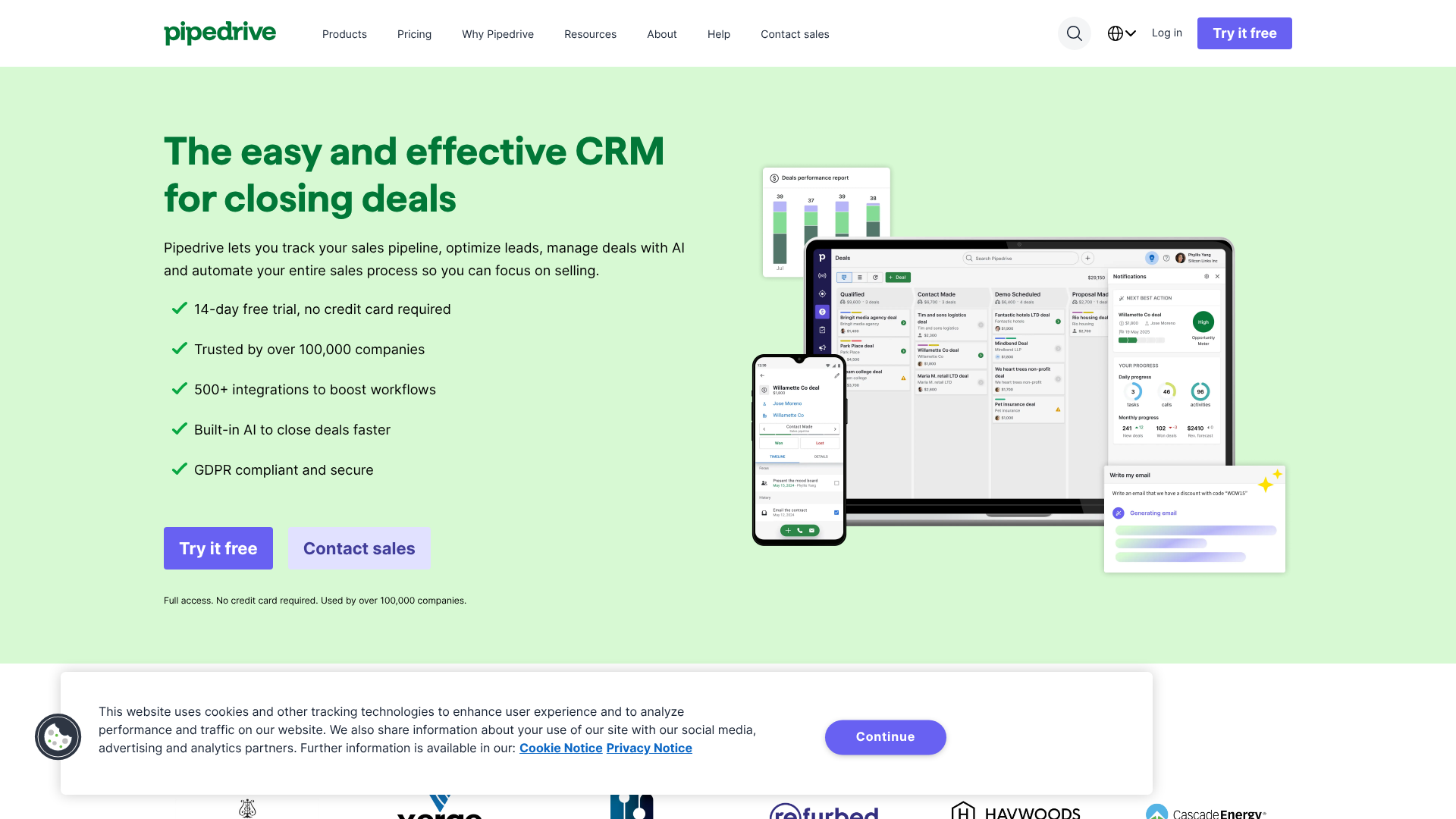
For any business with a sales process, a visual pipeline is essential. This feature allows you to see where every deal is in your sales cycle, from "New Lead" to
"Contract Sent" to "Closed-Won." It provides an at-a-glance overview of your sales health, helps you forecast revenue, and identifies bottlenecks where deals are getting stuck. Platforms like Pipedrive are built around this concept, offering a clear, drag-and-drop interface that makes managing deals intuitive for sales-focused teams.
3. Task Management and Automation
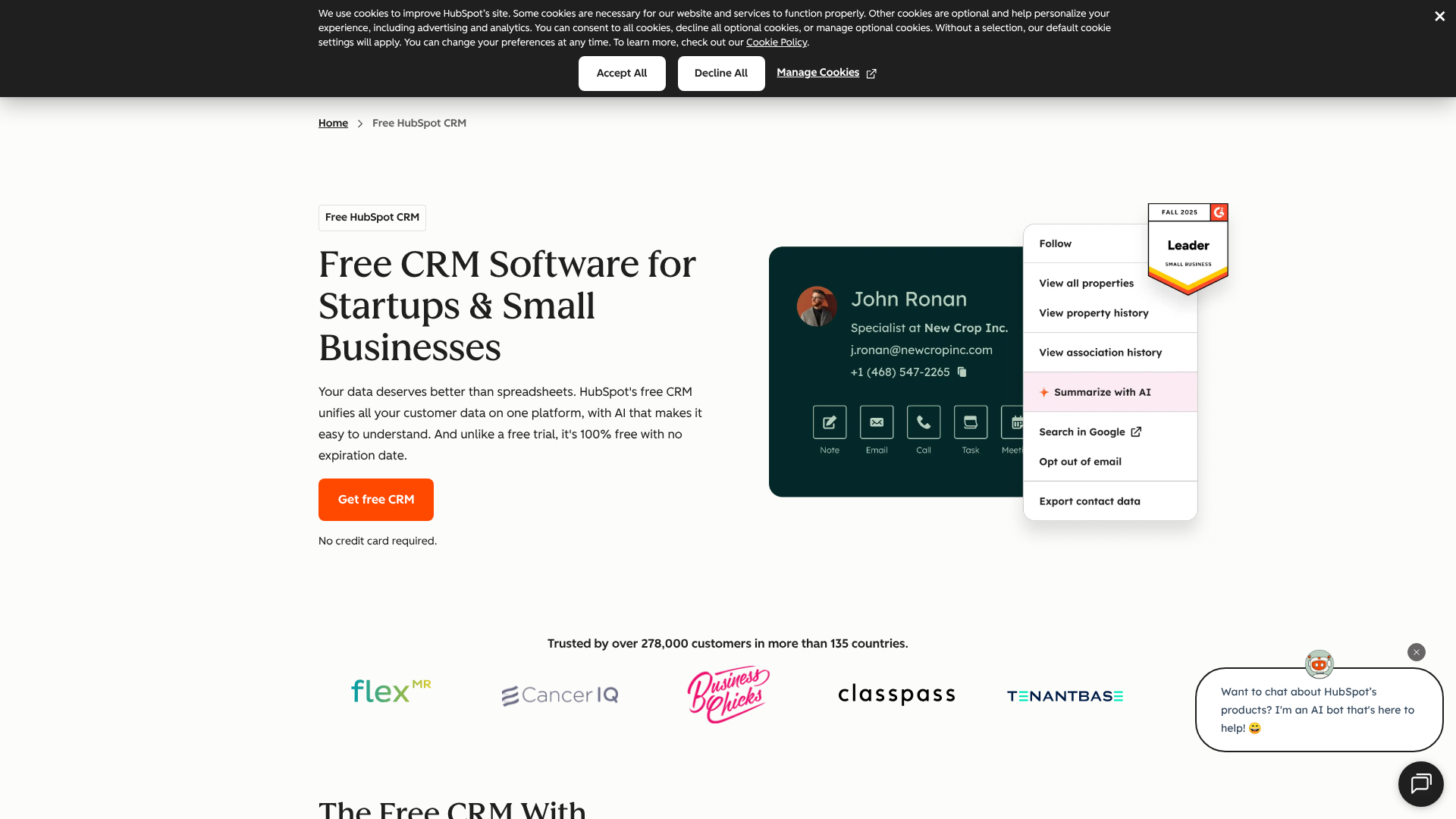
Your CRM should hel automate repetitive tasks like sending welcome emails to new leads, creating follow-up tasks after a meeting, or updating a contact's status when they take a specific action. This saves countless hours and ensures consistency. For example, HubSpot CRM offers powerful automation features even in its free and starter plans.
4. Reporting and Analytics
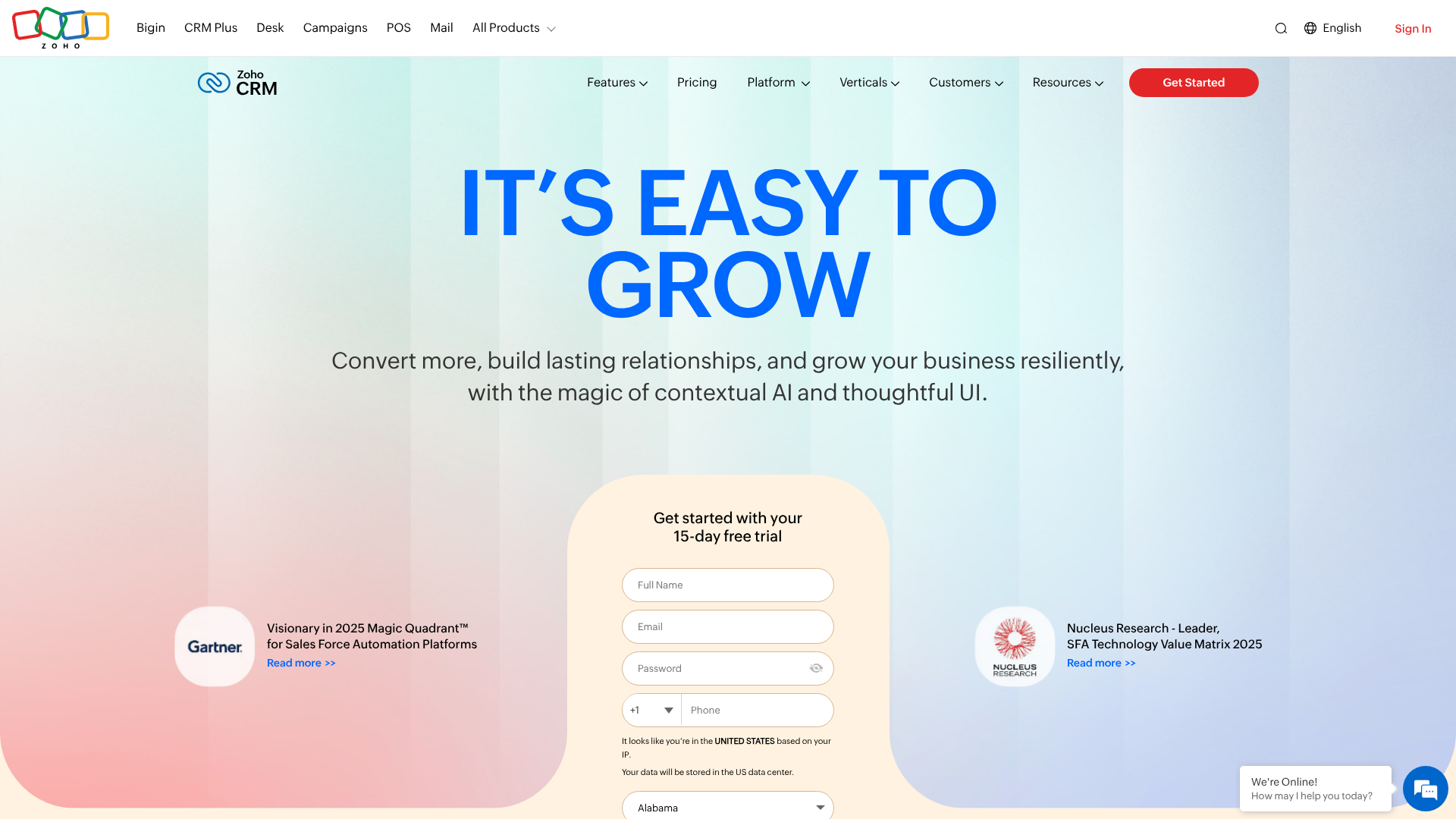
Data is useless without insights. Your CRM should have built-in reporting capabilities that help you understand your business performance. Basic reports should include sales forecasts, team activity tracking, and deal win/loss rates. These analytics help you identify what's working and what isn't, allowing you to make data-driven decisions to improve your sales and marketing efforts. Zoho CRM is known for its extensive and customizable reporting dashboards, giving you deep insights into your operations.
5. Email Integration
Your team lives in their email inbox. A CRM that integrates directly with your email client (like Gmail or Outlook) is crucial for user adoption. This integration allows you to send and receive emails from within the CRM, automatically log correspondence to a contact's record, and use email templates to save time. Some platforms, like Close CRM, are built with a heavy focus on communication, integrating email, phone, and SMS directly into the workflow.
How to Choose the Right Small Business Customer Management Tool
Selecting the right CRM is a critical decision that will impact your daily operations. With so many options available, it's important to have a clear process for evaluating them. Don't just pick the most popular one; choose the one that best fits your unique business needs, budget, and team.
Here’s a practical framework to guide your decision:
-
Define Your Goals and Needs: Before you look at any software, ask yourself: what problem are we trying to solve? Are you losing leads? Is your customer data a mess? Do you need to improve follow-up consistency? List your top 3-5 goals. This will help you focus on the features that matter most and avoid being distracted by fancy but unnecessary add-ons.
-
Consider Your Budget: CRM pricing can range from free to thousands of dollars per month. Determine a realistic budget. Many excellent CRMs offer free or low-cost starter plans specifically for small businesses. HubSpot CRM is famous for its powerful free-forever plan, which is a great starting point. Zoho CRM also offers a free edition and very affordable paid tiers. Remember to consider per-user pricing and how costs will scale as your team grows.
-
Prioritize Ease of Use: The best CRM is the one your team will actually use. If a system is clunky, complicated, or has a steep learning curve, your team will likely revert to their old spreadsheet habits. Look for a clean, intuitive interface. Sign up for free trials and have your team members test them out. Can they figure out how to add a contact and update a deal without extensive training? A user-friendly design is paramount for successful adoption.
-
Check for Essential Integrations: Your CRM doesn't operate in a vacuum. It needs to connect with the other tools you rely on every day. Make a list of your essential software, such as your email marketing platform (e.g., Mailchimp), accounting software (e.g., QuickBooks), and calendar (e.g., Google Calendar). Ensure your chosen CRM offers seamless integrations with these tools to create a unified workflow and avoid manual data transfer.
-
Plan for Scalability: Your business is going to grow, and your CRM should be able to grow with you. A tool that's perfect for a team of two might not work for a team of ten. Consider the platform's ability to scale. Does it offer more advanced features in higher-tier plans that you might need in the future? Choosing a scalable CRM from the start saves you the major headache of migrating to a new system down the road.
To help you compare, here's a quick overview of some popular choices:
| Feature | HubSpot CRM | Zoho CRM | Pipedrive | Close CRM |
|---|---|---|---|---|
| Best For | All-in-one marketing & sales | Customization & value | Sales pipeline management | High-volume sales outreach |
| Free Plan | Yes, very generous | Yes, for up to 3 users | No (Free trial only) | No (Free trial only) |
| Ease of Use | Very high | Moderate | Very high | High |
| Key Strength | Free tools & ecosystem | Breadth of features | Visual sales pipeline | Built-in communication tools |
| Starting Price | Free, paid plans vary | Visit Zoho for latest pricing | Visit Pipedrive for latest pricing | Visit Close for latest pricing |
Pro Tip: Don't overbuy. It's tempting to choose a CRM with hundreds of features, but for a small business, simplicity is often better. Start with a tool that masters the basics. You can always upgrade to a more complex system later if your needs evolve.
A Step-by-Step Guide to Implementing Your First CRM
Choosing a CRM is only half the battle; a successful implementation is what truly determines its value. A rushed or poorly planned rollout can lead to low adoption rates and wasted investment. Follow these steps to ensure a smooth transition and get your team on board from day one.
Step 1: Set Clear, Measurable Goals
Before you import a single contact, define what success looks like. Your goals should be specific and measurable. For example, instead of a vague goal like "improve sales," aim for goals like "increase lead conversion rate by 15% in the next six months" or "reduce lead response time to under one hour."
These goals will guide your entire implementation process, from how you configure the software to how you train your team. They also provide a benchmark for evaluating the CRM's return on investment (ROI) later on.
Step 2: Clean and Organize Your Data
This is the most critical and often the most tedious step. Your CRM is only as good as the data you put into it. Before migrating, take the time to clean up your existing customer data. This means removing duplicate contacts, correcting outdated information, standardizing formatting (e.g., using a consistent format for phone numbers), and getting rid of irrelevant contacts.
Gather all your customer information from spreadsheets, email contacts, and other sources into a single master file. This effort will pay off immensely by ensuring your new system starts with accurate, reliable data.
Step 3: Customize the CRM to Your Process
Out of the box, a CRM is a blank slate. You need to customize it to reflect your unique business processes. The most important customization is setting up your sales pipeline stages. Map out the distinct steps a lead takes to become a customer in your business.
Also, create custom fields to capture data that is important to your business but not included by default. For example, a real estate agent might add a field for "Property Type Interest," while a SaaS company might add a field for "Subscription Tier."
Step 4: Train Your Team Thoroughly
User adoption is the biggest hurdle in any CRM implementation. You can't just give your team a login and expect them to use it. Schedule dedicated training sessions. Don't just show them how to use the features; explain why it's important for their role and for the business as a whole.
Focus on the benefits for them: less administrative work, easier access to information, and a better ability to hit their targets. Create a simple user guide or a short video tutorial they can refer back to. It's also helpful to identify a "CRM champion" on your team who can act as the go-to person for questions.
Step 5: Launch, Gather Feedback, and Iterate
Don't aim for perfection on day one. Launch the CRM and have your team start using it for their daily tasks. Encourage them to provide feedback on what's working and what's not. Is a pipeline stage confusing? Is a required field unnecessary?
Schedule regular check-ins during the first few weeks to address issues and make adjustments. A CRM implementation isn't a one-time project; it's an ongoing process of refinement. Continuously improving the system based on user feedback will ensure it remains a valuable tool for your business.
Boosting Customer Retention and Loyalty with CRM

Acquiring a new customer can cost five times more than retaining an existing one. For small businesses, customer retention is the key to profitability and long-term success. A CRM is one of the most powerful tools at your disposal for nurturing relationships and building a loyal customer base.
First, a CRM helps you personalize every interaction. By having a complete history of a customer's purchases, inquiries, and preferences at your fingertips, you can tailor your communication to their specific needs. You can reference past conversations, recommend products based on their purchase history, and even remember personal details like their birthday or company anniversary. This level of personalization shows customers that you see them as individuals, not just transactions, which builds a strong emotional connection to your brand.
Second, a CRM enables proactive customer service. Instead of just reacting to problems, you can use your CRM data to anticipate needs. For example, if you know a customer's subscription is about to expire, you can set an automated task to reach out a month in advance. If you see a customer has viewed the help page for a specific feature multiple times, you can proactively send them a helpful tutorial.
This proactive approach can solve problems before they escalate and demonstrates that you are invested in your customers' success.
Finally, a CRM helps you create a consistent customer experience. As your team grows, it becomes harder to ensure every customer receives the same level of service. A CRM standardizes your processes and ensures all team members have access to the same information. This means a customer gets a consistent experience no matter who they talk to, reinforcing their trust in your business.
A well-maintained CRM is the backbone of a customer-centric culture that turns one-time buyers into lifelong advocates.
Integrating Your CRM with Other Essential Business Tools
A CRM becomes exponentially more powerful when it's connected to the other software you use to run your business. These integrations create a seamless flow of information, eliminate duplicate data entry, and provide a more holistic view of your operations. A standalone CRM is useful, but an integrated CRM is a true command center.
One of the most important integrations is with your email and calendar. Connecting your CRM to Google Workspace or Microsoft 365 allows you to sync emails, contacts, and appointments automatically. This means emails sent from your inbox are logged in the CRM, and meetings scheduled in your calendar appear as activities on a contact's record. This saves a massive amount of manual work and ensures your CRM is always up-to-date.
Another key integration is with your marketing automation or email marketing platform. Connecting your CRM to a tool like Mailchimp allows you to sync contact lists and segment your audience based on CRM data. For example, you could create an email campaign that targets all customers who haven't made a purchase in the last six months or send a special offer to your most valuable clients. This alignment between sales and marketing ensures a consistent message across all channels.
For businesses that sell products or services online, integrating your CRM with your accounting software (like QuickBooks or Xero) and e-commerce platform (like Shopify) is crucial. This integration can automatically create new contacts in your CRM when a purchase is made, update deal records with payment information, and give your sales team visibility into a customer's payment history. This provides a complete financial picture of each customer relationship directly within your CRM.
Best Practices for Using Your CRM Data Effectively
Simply collecting data in a CRM isn't enough; the real value comes from using that data to make smarter decisions. Many small businesses have a wealth of information in their CRM but aren't sure how to use it strategically. Here are some best practices to turn your CRM data into a competitive advantage.
First, segment your audience. Not all customers are the same. Use the data in your CRM to group your contacts into meaningful segments. You can segment by demographics, purchase history, geographic location, or engagement level.
For example, you could create a segment of "VIP Customers" who have spent over a certain amount or a segment of "Inactive Leads" who haven't responded in 90 days. Segmentation allows you to send highly targeted and relevant marketing messages that resonate much better than one-size-fits-all communication.
Second, implement lead scoring. Lead scoring is the process of assigning points to leads based on their attributes and actions, such as their job title, company size, or whether they downloaded an ebook from your website. This helps your sales team prioritize their efforts by focusing on the leads who are most likely to convert. A lead with a high score gets immediate attention, while a lead with a low score can be nurtured with automated email campaigns until they are ready to buy.
Third, use your data to identify trends and patterns. Regularly review your CRM reports to understand your business better. Which lead sources generate the most valuable customers. What is the average length of your sales cycle.
At which stage do you lose the most deals. Answering these questions can reveal critical insights. For example, you might discover that leads from a specific marketing campaign close at a much higher rate, indicating you should invest more in that channel.
Pro Tip: Establish a clear data entry protocol for your team. Consistency is key to reliable data. Define which fields are mandatory and create standardized naming conventions to prevent messy and unusable information from cluttering your system.
Common CRM Challenges for Small Businesses (And How to Solve Them)
While a CRM offers immense benefits, the path to successful adoption isn't always smooth. Small businesses often face a unique set of challenges. Being aware of these potential hurdles can help you proactively address them.
Challenge 1: Perceived Cost and Complexity
Many small business owners worry that a CRM will be too expensive or too complicated. They envision a massive, enterprise-level system that requires a dedicated IT team.
- Solution: Start with a CRM designed for small businesses. Many modern CRMs are cloud-based, affordable, and user-friendly. Take advantage of free plans or trials from providers like HubSpot CRM or Zoho CRM to get started without a financial commitment. Focus on mastering the core features first before exploring more advanced functionalities.
Challenge 2: Low User Adoption
The most common reason CRM initiatives fail is that the team doesn't use the system. If people see it as just another administrative task, they will stick to their old habits.
- Solution: Involve your team in the selection process to ensure the chosen tool meets their needs. Provide thorough training that focuses on the "what's in it for me" factor, highlighting how the CRM will make their jobs easier. Lead by example; if the business owner and managers are actively using the CRM, the rest of the team is more likely to follow suit.
Challenge 3: Poor Data Quality
If your CRM is filled with inaccurate, outdated, or duplicate data, its value plummets. Team members will lose trust in the system and stop using it.
- Solution: Dedicate time to cleaning your data before you implement the CRM. Once it's live, establish clear data entry standards and make data hygiene an ongoing process. Appoint someone to be responsible for periodically reviewing and cleaning the data to maintain its integrity.
The Future of CRM: What's Next for Small Businesses?
The world of CRM is constantly evolving, and new technologies are making these tools more powerful and accessible than ever. For small businesses, these trends present exciting opportunities to enhance customer relationships and drive growth.
One of the biggest trends is the integration of Artificial Intelligence (AI). AI-powered CRMs can automate even more tasks, provide predictive insights, and offer intelligent recommendations. For example, AI can analyze a lead's profile and engagement to predict their likelihood of converting, helping sales teams focus their efforts. It can also analyze customer service conversations to detect sentiment and flag at-risk customers for immediate attention.
As AI becomes more mainstream, these advanced capabilities will become available even in affordable, small-business-focused CRMs.
Another key trend is the increasing importance of mobile CRM. Your team is no longer tied to a desk. A robust mobile CRM app allows your sales and service teams to access and update customer information on the go, whether they're at a client meeting, a trade show, or working from home. This real-time access ensures that important information is captured immediately and that your team is always equipped with the latest data.
Finally, social CRM is becoming more prevalent. Customers now interact with brands across a variety of social media platforms. Social CRM integrates these channels into your customer view, allowing you to track mentions, monitor conversations, and engage with customers directly from your CRM. This provides a more complete picture of your customer's voice and allows you to provide a seamless omnichannel experience.
Frequently Asked Questions
What is the easiest CRM for a small business?
The "easiest" CRM often depends on your specific needs, but platforms known for their user-friendly interfaces include HubSpot CRM and Pipedrive. HubSpot is often recommended for beginners due to its clean design and extensive free resources. Pipedrive is praised for its intuitive, visual drag-and-drop pipeline that makes sales management straightforward.
Can I use a spreadsheet instead of a CRM?
You can start with a spreadsheet, and many businesses do. However, spreadsheets are static and quickly become unmanageable as your business grows. They lack automation, make collaboration difficult, and don't provide a real-time view of customer interactions. A dedicated CRM is a much more scalable and efficient solution for long-term customer management.
How much does a CRM for a small business cost?
Pricing varies widely. Several excellent CRMs, like HubSpot and Zoho, offer free-forever plans with basic features for small teams. Paid plans for small businesses typically start around $14-$25 per user per month and increase based on the number of features and users you need. It's important to evaluate both the monthly cost and how that cost will scale as you add more team members.
Do I need a CRM if I only have a few customers?
Even with just a few customers, a CRM can be valuable. It helps you establish good habits for tracking interactions and providing personalized service from the very beginning. Using a free CRM when you're small allows you to build a foundation of organized data that will be invaluable as your customer base grows, saving you a major data migration headache later on.
Final Thoughts
For a small business, every customer relationship is precious. A Customer Relationship Management system is not just another piece of software; it's an investment in the health and growth of those relationships. It empowers you to move beyond messy spreadsheets and reactive service to a streamlined, proactive approach that builds lasting loyalty.
By centralizing your data, automating repetitive tasks, and providing actionable insights, a CRM frees you up to focus on what you do best: serving your customers and growing your business. The key is to start simple, choose a tool that fits your current needs, and commit to making it a central part of your daily operations.
If you're ready to see how a CRM can transform your business, exploring options with free trials or plans is a great, risk-free first step. Platforms like HubSpot CRM offer a powerful starting point at no cost, while tools like Pipedrive and Zoho CRM provide affordable, feature-rich solutions designed to scale with you.