









Zoho CRM Free Trial: A Buyer's Guide for Small Businesses
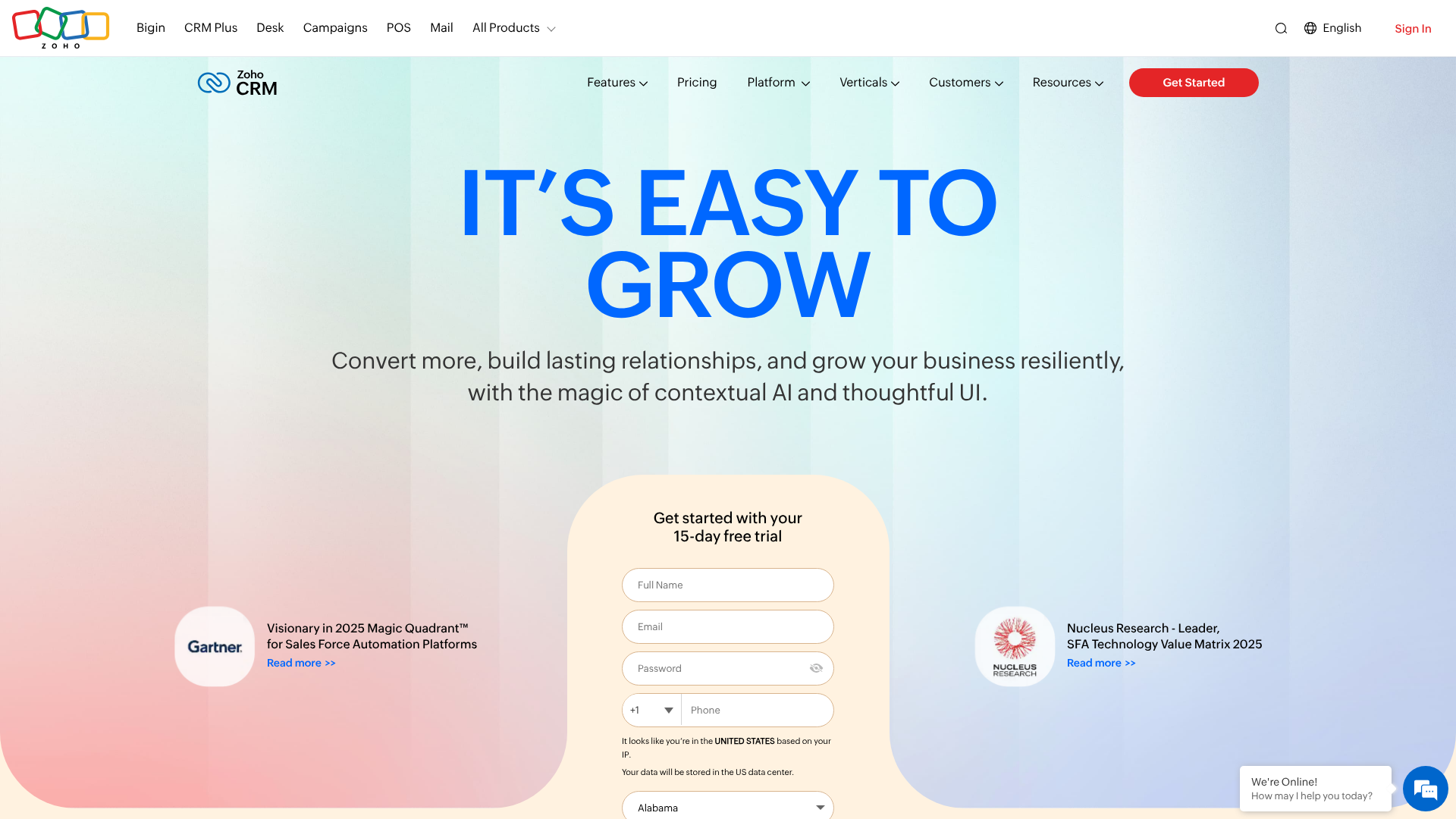
Choosing the right Customer Relationship Management (CRM) software can feel like a major commitment. You're not just buying a tool; you're investing in the central hub for your sales, marketing, and customer service operations. This is why taking advantage of a Zoho CRM free trial is such a smart move for any growing business. It allows you to test-drive the full capabilities of the platform with your own data and workflows before spending a dime.
This guide is designed to walk you through everything you need to know about the Zoho CRM trial. We'll cover what's included, how to sign up, and most importantly, how to use this evaluation period to make a confident decision. Whether you're a startup founder wearing multiple hats or a sales manager looking to empower your team, this guide will help you determine if Zoho CRM is the right fit for your business goals.
What to Know
- Comprehensive Test Drive: The Zoho CRM free trial typically provides 15 days of access to a high-tier edition (like Enterprise), giving you a chance to test advanced features beyond the basics.
- No Credit Card Required: You can sign up and start exploring the platform without any financial commitment, making it a truly risk-free evaluation.
- Beyond the Trial: After the trial, you aren't forced into a paid plan. You can choose to upgrade or be automatically moved to Zoho's forever-free plan, which supports up to three users.
- Key Features to Test: Focus your trial on core functions like lead and deal management, workflow automation, and reporting to see the direct impact on your business processes.
- Strategic Evaluation is Key: To get the most value, go in with a plan. Import a sample of your real data, involve your team, and test specific use cases relevant to your daily operations.
What Is Zoho CRM? A Quick Overview

Zoho CRM is a powerful software platform designed to help businesses of all sizes manage their interactions with current and potential customers. At its core, it's a centralized database where you can store contact information, track sales opportunities, and manage marketing campaigns. But its capabilities extend far beyond a simple digital address book.
Think of it as the command center for your entire customer lifecycle. From the moment a new lead enters your pipeline, Zoho CRM helps you nurture them with targeted communication. As they move through the sales process, you can track every interaction, call, and email, ensuring no opportunity falls through the cracks. This visibility is essential for building strong, lasting customer relationships.
One of Zoho's biggest strengths is its place within a larger ecosystem of business applications. The company offers over 50 other apps, covering everything from finance (Zoho Books) to project management (Zoho Projects) and customer support (Zoho Desk). This integration allows for a highly connected business environment where data flows smoothly between departments, breaking down information silos and improving overall efficiency.
Unpacking the Zoho CRM Free Trial: What Features Can You Test?
The primary purpose of the Zoho CRM free trial is to give you a genuine feel for the platform's premium capabilities. During the trial period (usually 15 days), Zoho typically grants you access to the Enterprise Edition. This is important because it lets you experiment with advanced tools that aren't available in the lower-tiered or free plans, giving you a full picture of what the software can do when fully unlocked.
Here are some of the key features you should make a point to explore:
- Sales Force Automation: This is the heart of any CRM. You can test creating and managing leads, contacts, accounts, and deals. Pay attention to how easily you can move a deal through your sales pipeline stages and log activities like calls and meetings.
- Workflow Automation: This is where you can save significant time. Set up a simple workflow rule, such as automatically sending a welcome email to a new lead or creating a follow-up task for a sales rep when a deal reaches a certain stage. Seeing this in action highlights the platform's efficiency.
- Customization: No two businesses are the same, and your CRM should reflect that. During the zoho crm trial, you can add custom fields, create unique modules for your specific industry, and design page layouts that show your team the most relevant information first.
- Analytics and Reporting: Data-driven decisions are crucial. Dive into the reporting module to create a sales forecast, track your team's performance with dashboards, and analyze your lead sources. The trial lets you see how insightful these reports can be with your own data.
- AI-Powered Assistant (Zia): Test out Zia, Zoho's AI assistant. Ask it for sales predictions, see how it detects anomalies in your sales trends, and use it to find any information you need within the CRM quickly. This gives you a taste of the platform's more advanced, modern features.
By focusing on these areas, you can get a solid understanding of how a free zoho crm experience can translate into real-world business benefits.
How to Sign Up for Your Zoho CRM Trial (Step-by-Step)
Getting started with the Zoho CRM free trial is a straightforward process designed to get you into the software as quickly as possible. Zoho doesn't require a credit card for the trial, which removes any friction or worry about accidental charges. Here’s a simple breakdown of the steps.
-
Navigate to the Zoho CRM Website: Open your web browser and go to the official Zoho CRM homepage. You'll typically see prominent buttons and links labeled "Start Your Free Trial" or "Sign Up For Free."
-
Enter Your Basic Information: The sign-up form is minimal. You'll need to provide your name, email address, a password for your new account, and your phone number. Be sure to use a valid email address, as you will need it for verification.
-
Provide Company Details: Next, you'll be asked for some basic information about your company, such as its name and size. This information helps Zoho tailor the initial experience for you. After filling this out, agree to the terms of service and privacy policy.
-
Verify Your Email Address: Zoho will send a verification email to the address you provided. Open your email inbox, find the message from Zoho, and click the verification link inside. This step is crucial for activating your account.
-
Start Exploring: Once verified, you're in! You will be logged into your new Zoho CRM account. The system often launches a quick-start wizard or a guided tour to help you get acquainted with the main features. It's a good idea to follow this initial tour to understand the layout of the dashboard, modules, and settings.
That's all it takes. In just a few minutes, you can go from the homepage to actively exploring a powerful CRM platform, ready to see if it meets your business needs.
Understanding the Fine Print: Limitations of the Free Trial
While the Zoho CRM free trial is generous, it's an evaluation tool, not a permanent solution. Understanding its limitations is key to managing your expectations and planning your test effectively. The trial is designed to give you a taste of the premium features for a limited time.
The most significant limitation is time. Most Zoho CRM trials last for 15 days. This is a finite window, so it's important to have a plan to test the features that matter most to you before it expires. Don't sign up and let it sit idle for a week; start exploring immediately.
Another point to consider is what happens after the trial ends. If you don't upgrade to a paid plan, your account will be automatically downgraded to the free Zoho CRM plan. This forever-free plan is excellent for small teams (up to 3 users) but lacks many of the advanced features you get to test during the trial, such as advanced workflow automation, custom dashboards, and inventory management. Be aware of which features you're testing belong to the Enterprise plan versus the free plan.
Finally, while you can import your data, remember that this is a trial environment. There might be some limitations on data storage, though it's usually sufficient for a trial period. The primary goal is to test functionality, not to run your entire business from the trial account. Knowing these boundaries helps you focus your efforts on a thorough evaluation rather than treating it as a long-term setup.
Zoho CRM Trial vs. The Competition: A Brief Comparison
When you're exploring a zoho crm demo, it's helpful to understand how it stacks up against other popular options in the market. The CRM landscape is competitive, and different platforms cater to different business needs. The most frequent comparison is often with HubSpot, another major player known for its strong free offering.
HubSpot's free CRM is a formidable competitor. It offers a robust set of tools for free, forever, with no user limits. This makes it incredibly attractive for startups and small businesses that need a solid foundation without the immediate cost. HubSpot's user interface is also widely praised for being clean and intuitive, which can mean a faster adoption rate for teams new to CRM.
However, Zoho's ecosystem is its key differentiator. While HubSpot's free tools are excellent, you often need to upgrade to paid 'Hubs' (Marketing, Sales, Service) to get functionality that is standard in Zoho's paid tiers. The free Zoho CRM plan for three users is more limited than HubSpot's, but its paid plans are often considered more affordable and feature-rich at lower price points. The ability to integrate with 50+ other Zoho apps creates a unified business operating system that is difficult for competitors to match.
Here's a simple breakdown of how the free offerings generally compare:
| Feature | Zoho CRM (Free Plan) | HubSpot CRM (Free Plan) |
|---|---|---|
| User Limit | Up to 3 users | Unlimited users |
| Core CRM | Leads, Contacts, Deals, Tasks | Contacts, Companies, Deals, Tasks |
| Email Marketing | Basic Campaigns (up to 5,000 emails/month) | Marketing Emails (2,000 sends/month) |
| Workflow Automation | Basic Workflows | Limited Automation (Task Creation) |
| User Interface | Functional, highly customizable | Very modern and intuitive |
| Ecosystem | Integrates with huge Zoho Suite | Integrates with HubSpot's paid Hubs |
Ultimately, the choice depends on your priorities. If your main need is a straightforward, user-friendly CRM for a growing team and you want to avoid user-based pricing for as long as possible, HubSpot is a great starting point. If you anticipate needing a powerful, all-in-one business suite and value deep customization and affordability in paid plans, the Zoho CRM trial is the perfect way to see if its ecosystem is right for you.
What Do Real Users Say? Feedback on the Trial Experience

Online reviews and user feedback provide valuable insight into the real-world experience of using the Zoho CRM free trial. Looking at what actual business owners, sales managers, and administrators say can help you know what to expect and where to focus your attention during your own evaluation.
One of the most consistently praised aspects is the sheer breadth of features available during the trial. Users are often impressed that they get access to the Enterprise edition, allowing them to test powerful tools like workflow automation, advanced analytics, and the AI assistant, Zia. Many small business owners mention that this comprehensive access was critical in their decision-making process because it showed them the platform's full potential for scaling.
A common piece of positive feedback revolves around the value proposition. The trial makes it clear how much functionality is packed into Zoho's paid plans, which are generally priced very competitively. Users frequently comment that after comparing the features they tested in the zoho crm demo to the cost of equivalent features in competitor products, Zoho offered a better return on investment.
However, the feedback isn't without its critiques. A recurring theme is the learning curve. Because Zoho CRM is so feature-rich and customizable, some users find the initial setup and navigation a bit overwhelming, especially if it's their first CRM. They recommend setting aside dedicated time to watch tutorials and go through the documentation to get comfortable with the interface.
This is a key takeaway: don't expect to master it in a day. The trial period is your time to learn.
Your 15-Day Game Plan: Making the Most of Your Zoho CRM Demo
Signing up for the trial is the easy part. The real challenge is using the 15-day window effectively to get the answers you need. Going in with a structured plan will ensure you don't waste this valuable opportunity. Think of it as a focused project with a clear goal: to determine if this CRM will make your business more efficient and profitable.
Here is a suggested game plan to maximize your Zoho CRM trial:
Days 1-3: Setup and Data Import
Your first priority is to populate the CRM with familiar data. Don't just use the sample data. Export a small but representative list of your actual leads and contacts (perhaps 50-100 records) and import them. This makes the testing experience real. During this phase, also configure basic settings like your company details, personal information, and currency.
Days 4-7: Test Core Sales Functions
This is where you live in the CRM. Create a few test deals and move them through your sales pipeline. Assign tasks to yourself or team members. Log calls, send emails directly from the CRM, and schedule meetings. The goal is to simulate your day-to-day sales activities to see how the platform feels and performs.
Days 8-11: Explore Automation and Customization
Now, dive into the power features. Create a simple workflow rule, like sending an automated email when a lead's status changes. Add a custom field to your contacts module that's specific to your business (e.g., "Product Interest"). This will show you how you can tailor the CRM to your exact processes.
Days 12-14: Involve Your Team and Check Reports
If you have a team, get them involved. Add them as users and ask them to perform some basic tasks. Their feedback is invaluable for user adoption. Use this time to build a simple report or look at the pre-built dashboards. Can you easily see your sales forecast or your lead conversion rates? This is a critical test of the CRM's value.
Pro Tip: Test the mobile app. A significant amount of sales work happens on the go. Download the Zoho CRM mobile app and see how easy it is to look up a contact, log a call, or update a deal from your phone. This is a crucial feature for field sales teams.
Day 15: Review and Decide
On the final day, review your findings. Did the CRM save you time? Did it provide valuable insights? Did your team find it easy to use? By following this structured approach, you'll have concrete answers to these questions, allowing you to make an informed decision about whether to move forward with a paid plan.
After the Trial Ends: Transitioning to a Paid or Free Plan
Once your 15-day Zoho CRM free trial concludes, you'll face a decision point. Zoho makes this transition process smooth and pressure-free. You have several clear options, and understanding them ahead of time will help you plan your next steps.
Your first option is to upgrade to a paid plan. If you were impressed with the features and found that the CRM meets your business needs, you can choose the subscription tier that makes the most sense for your team size and budget. During the trial, you can typically see which features belong to which plan, so you should have a good idea of whether you need the Standard, Professional, or Enterprise edition. Upgrading is a simple process done directly within the application's settings.
Your second option is to do nothing. If you don't actively subscribe to a paid plan, your account will be automatically downgraded to the forever-free plan. This is a fantastic safety net. You won't lose the data you entered or the basic setup you configured.
The free plan supports up to three users and includes essential modules like leads, contacts, and deals. It's a great starting point for very small businesses or solopreneurs, but remember, you will lose access to the advanced automation, customization, and reporting features you tested during the trial.
Your final option is to simply walk away. If you decide Zoho CRM isn't the right fit, you can export your data and cease using the account. Since you didn't provide any credit card information, there's no need to worry about canceling a subscription or getting charged. This risk-free nature is one of the most compelling reasons to take the trial in the first place.
You get a comprehensive evaluation with no strings attached.
Common Stumbling Blocks and How to Fix Them
Even with a user-friendly platform like Zoho, new users can encounter a few common hurdles during the trial period. Being aware of these potential issues can help you troubleshoot them quickly and keep your evaluation on track.
1. Overwhelming Interface:
- The Problem: With so many modules and features, the initial dashboard can feel cluttered or confusing, especially for first-time CRM users. * The Fix: Don't try to learn everything at once. Focus on one module at a time.
Start with "Leads," then move to "Contacts," and then "Deals." Use the search bar at the top to find what you need quickly. Zoho's interface is highly customizable, so you can also hide modules you don't need to simplify your view.
2. Data Import Errors:
- The Problem: You try to upload your spreadsheet of contacts, but it fails or the data gets mapped to the wrong fields. * The Fix: This is almost always a formatting issue. Before importing, make sure your spreadsheet is clean.
The column headers in your file should match the field names in Zoho CRM as closely as possible (e.g., "First Name," "Email"). Download Zoho's sample import file to use as a template. This ensures your columns are in a format the system can easily understand.
3. Confusion About Automation:
- The Problem: You want to set up a workflow rule, but you're not sure where to start or how the triggers and actions work. * The Fix: Start with a very simple, concrete goal. For example: "When a lead's status is changed to 'Contacted', create a follow-up task for me due in 3 days." Go to Setup > Automation > Workflow Rules and follow the on-screen prompts.
Zoho's workflow editor is visual and guides you through setting the trigger (the "when") and the action (the "what").
By anticipating these minor challenges, you can spend less time troubleshooting and more time evaluating the features that will have the biggest impact on your business.
Getting Help: Customer Support Options for Free Trial Users
One common concern when testing new software is the level of support you'll receive, especially when you're not yet a paying customer. Zoho understands that a positive trial experience is crucial, so they provide several resources to help you get the answers you need during your evaluation.
For immediate, self-service help, Zoho offers an extensive knowledge base and documentation. This is a searchable library of help articles, how-to guides, and detailed explanations of every feature. If you have a question like "How do I create a custom field?" or "How does lead scoring work?", the documentation is the fastest place to find a step-by-step answer. You can also find a wealth of video tutorials and recorded webinars that walk you through common processes.
During the trial, you typically have access to email and phone support during business hours. This is a significant benefit, as it allows you to connect with a support representative to troubleshoot specific issues you might be facing, such as a problem with data migration or a question about setting up a complex workflow. The availability of human support during a trial period is a strong indicator of a company's commitment to its potential customers.
Finally, the Zoho Community Forums are another valuable resource. These are active online communities where you can ask questions and get answers from other Zoho users, developers, and Zoho employees. It's a great place to learn about best practices, discover unique ways other businesses are using the CRM, and get a feel for the broader user community. Don't hesitate to use these resources—they are there to ensure your zoho crm demo is as productive as possible.
Frequently Asked Questions (FAQ)
How long is the free trial for Zoho CRM?
The standard Zoho CRM free trial lasts for 15 days. This period begins the moment you sign up and activate your account. During these 15 days, you typically get access to the features of the Enterprise Edition, which is one of their highest tiers, allowing for a comprehensive evaluation of the platform's capabilities.
Does Zoho CRM have a free version?
Yes, Zoho CRM has a completely free version, often referred to as the "Free Edition." It's not a trial; it's free forever for up to three users. After your 15-day trial of the Enterprise features ends, your account is automatically downgraded to this free version if you choose not to upgrade. It's a great option for startups and small teams just getting started with a CRM.
What are the limitations of Zoho CRM free?
The free version of Zoho CRM is powerful for its price (or lack thereof), but it has key limitations. It's capped at three users. It lacks many of the advanced features you get to test in the trial, such as in-depth analytics, sales forecasting, inventory management, and advanced workflow automation. Customization options are also more limited compared to the paid plans.
It's best for basic contact, lead, and deal management.
How much does Zoho CRM cost?
Zoho CRM offers several pricing tiers to fit different business sizes and needs. While prices can change, they are known for being very competitive. The pricing is per user, per month, and is typically billed annually for the best rate. As of late 2024, plans generally start with the Standard edition and go up to Professional, Enterprise, and the top-tier Ultimate edition.
For the most current pricing, it's always best to visit the official Zoho CRM pricing page on their website.
Final Thoughts
Navigating the world of CRM software can be complex, but the Zoho CRM free trial offers a clear, risk-free path to making an informed decision. It provides an invaluable opportunity to move beyond feature lists and marketing claims and experience firsthand how the platform can fit into your unique business workflows. By giving you access to premium tools, you can accurately gauge its potential to automate tasks, provide critical insights, and ultimately help you build better customer relationships.
To make the most of it, approach the trial with a clear plan. Focus on testing the core functions that matter most to your daily operations, from lead management to sales reporting. Involve your team, use your own data, and don't hesitate to explore the more advanced features like automation.
Whether you decide to upgrade to a paid plan, continue with the generous forever-free edition, or explore other options, completing the trial will leave you with a much deeper understanding of what your business needs from a CRM. If you're ready to see how a structured customer management system can benefit your business, starting a Zoho CRM trial is a logical and productive next step.